 ChatGPT,
 Claude,
 Gemini,
 Grok — all four for
Key highlights
- Understand how customer service automation works, from initial request through resolution or human escalation.
- Learn which support tasks to automate and where human involvement remains essential for a better customer experience.
- Follow a practical process for implementing automation, starting with low-risk tasks and expanding gradually.
- Discover key KPIs like first contact resolution, automated resolution rate and CSAT to measure success.
- Avoid common pitfalls like bot loops and lost human touch that can damage the customer experience.
If you run a business, you already know the feeling. Customers expect an answer now, not in three hours or “sometime tomorrow.” Your support team is stuck answering the same five questions over and over. And hiring more people to keep up isn’t always realistic, especially if you’re a small business watching every dollar.
That’s where customer service automation comes in. It handles the repetitive stuff so your team can focus on the conversations that actually need a human touch. And to be clear, this isn’t about replacing your agents. It’s about pairing automation with real people so both can do what they’re best at.
Quick answer: Customer service automation uses AI, workflows and other tools to handle repetitive support tasks like answering FAQs, routing tickets, tracking orders and sending updates, with little to no human involvement needed for the routine stuff.
Let’s break down what customer service automation actually looks like.
What is customer service automation?
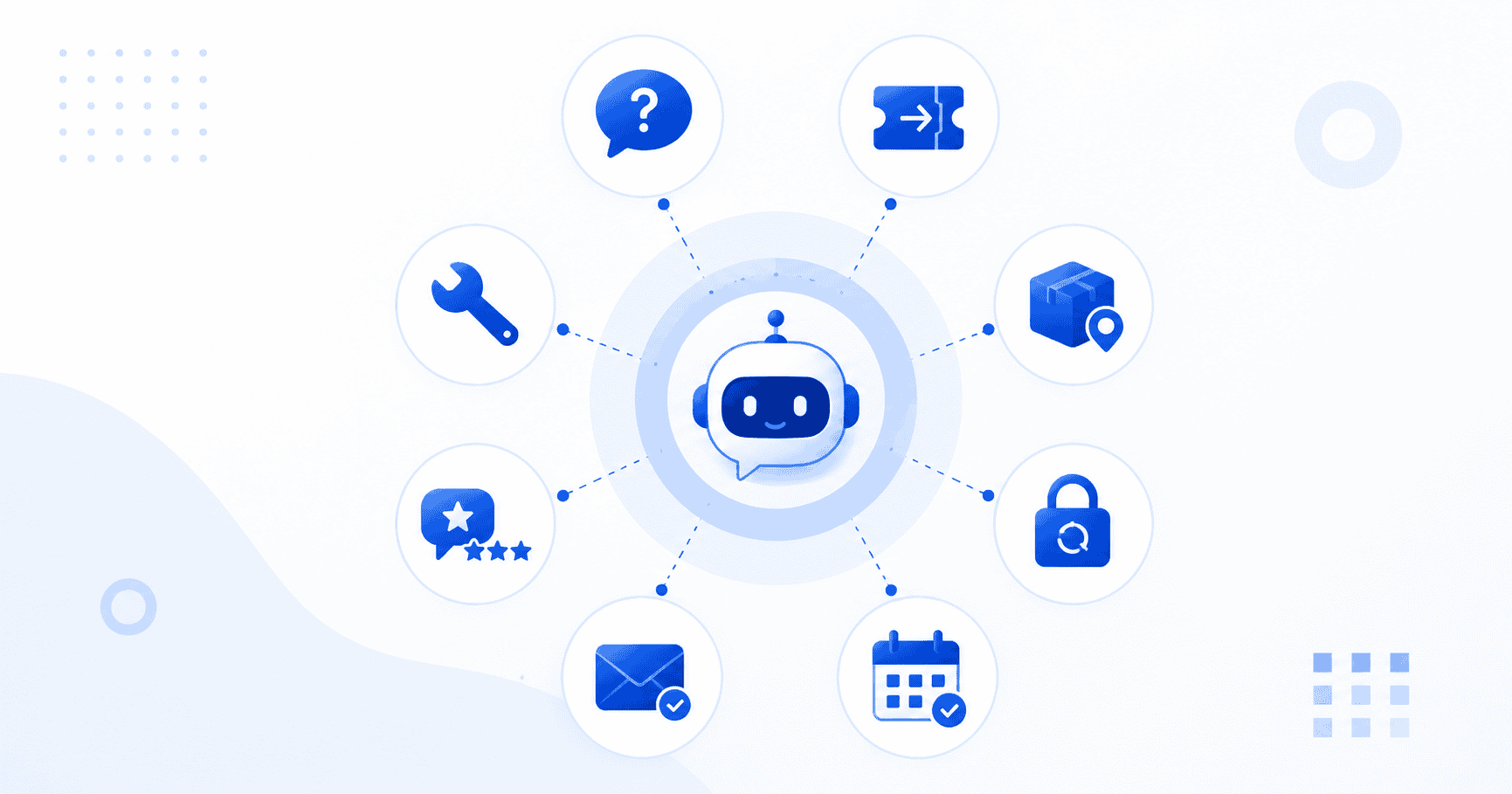
At its core, customer service automation means using software and AI to handle the support tasks that don’t require a person to think through. If a customer asks “where’s my order” or “how do I reset my password,” a bot or workflow can answer that just as well as a human, usually faster.
Customer service automation vs automated customer service
You’ll see these two phrases used interchangeably a lot, and honestly, that’s fine. They both point to the same idea: using technology to handle support work that used to require a human on the other end.
What does customer service automation actually automate?
In practice, automation tends to cover things like:
- Answering frequently asked questions
- Routing tickets to the right team or person
- Tracking orders and shipments
- Resetting passwords
- Scheduling appointments
- Sending follow-up emails
- Collecting customer feedback
- Walking customers through basic troubleshooting
Most articles on this topic stop at listing these tasks. But the more useful question isn’t what can be automated. It’s what should be automated. A password reset is a perfect candidate. A customer who just had a bad experience and wants to talk to someone? That one probably needs a human, and we’ll get into that distinction later.
Also read: AI Chatbot ROI Calculator: Track Costs, Savings & Metrics
How does customer service automation work?
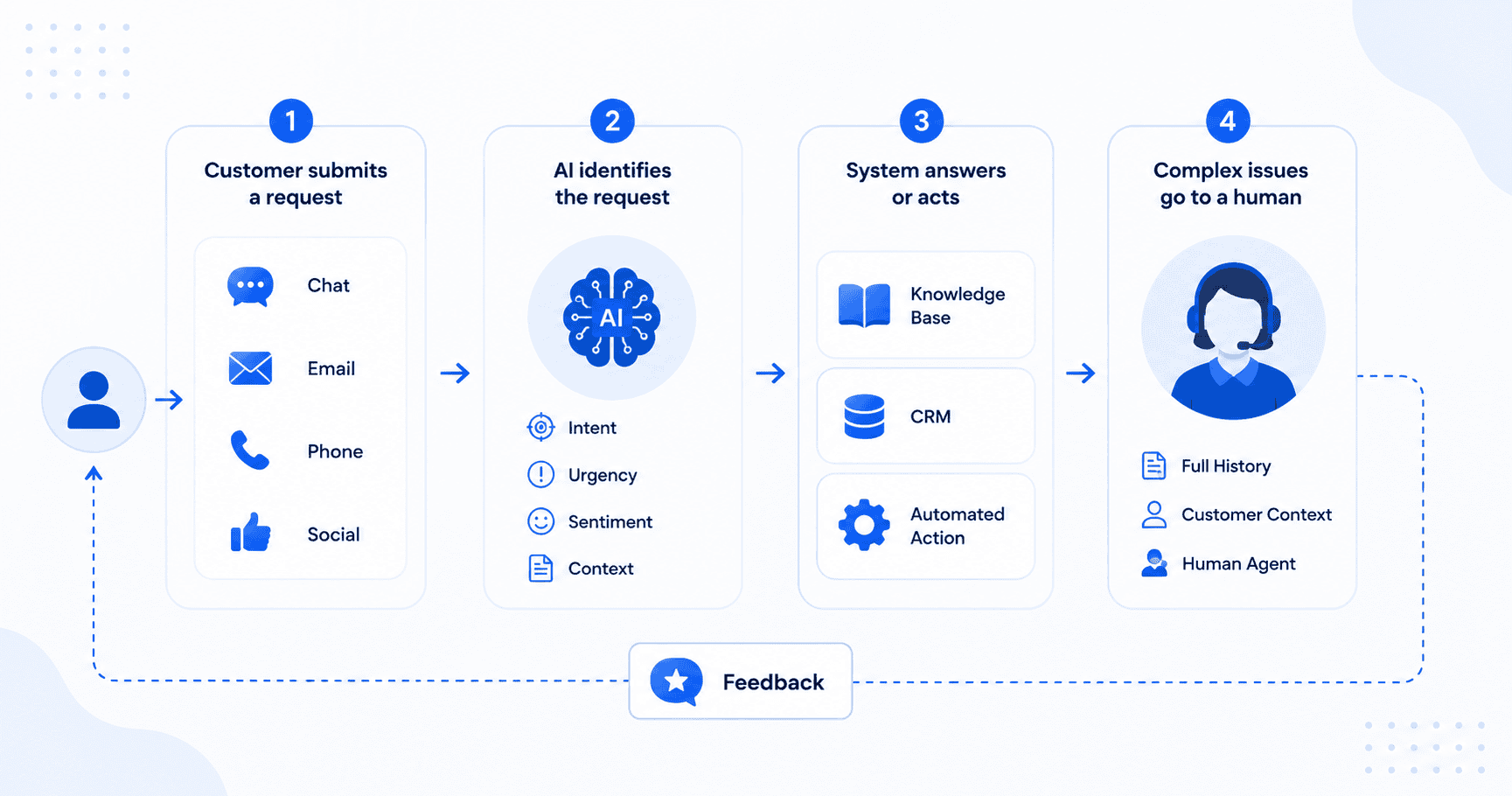
This is the part most people actually want to understand about customer service automation, so let’s walk through it step by step.
1. Customer submits a request
It starts with the customer reaching out, and they could be doing it from anywhere: website chat, email, phone, text message, social media or a support portal.
2. Automation identifies the request
Once the request comes in, AI and natural language processing get to work figuring out what’s actually going on. That includes the customer’s intent, the topic, how urgent it is, the tone or sentiment behind it and any relevant context about who this customer is.
3. The system provides an answer or takes action
From there, the system does something with that information. That might mean answering a common question, pulling up an order status, walking someone through a password reset, opening a support ticket, updating account details or sending a notification.
4. Complex issues go to a human agent
If the issue is too complicated, sensitive or just needs a human judgment call, it gets handed off. And when that happens, the agent should already have the full conversation history and customer context in front of them, so the customer isn’t stuck repeating themselves.
Put simply, the flow looks something like this: customer reaches out, intent gets detected, the system checks its knowledge base or CRM, it resolves the issue automatically or escalates to a person and feedback gets collected along the way.
What are the main types of customer service automation?
Chatbots get most of the attention, but they’re really just one piece of a much bigger picture.
1. AI chatbots and virtual assistants
These handle common questions, basic troubleshooting and self-service requests, usually through a chat window on your site or app.
2. Automated ticketing and routing
This is the behind-the-scenes work of categorizing incoming customer service requests, prioritizing them and assigning them to the right person or team.
3. Knowledge bases and self-service
A well-built knowledge base lets customers find their own answers without ever needing to contact anyone.
4. Automated email and messaging
Think order confirmations, appointment reminders, shipping updates and follow-up check-ins, all sent without anyone lifting a finger.
5. Interactive voice response (IVR)
These are the automated phone menus that route callers to the right department, or sometimes resolve the issue before a human ever picks up.
6. Workflow automation
This is the backend layer: updating CRM records, triggering notifications, processing requests and assigning tickets automatically.
7. AI powered analytics
This covers things like sentiment analysis, feedback trends and spotting recurring problems before they turn into bigger ones.
Also read: AI Front Desk vs Traditional IVR/Auto-Attendant
What are the benefits of customer service automation?
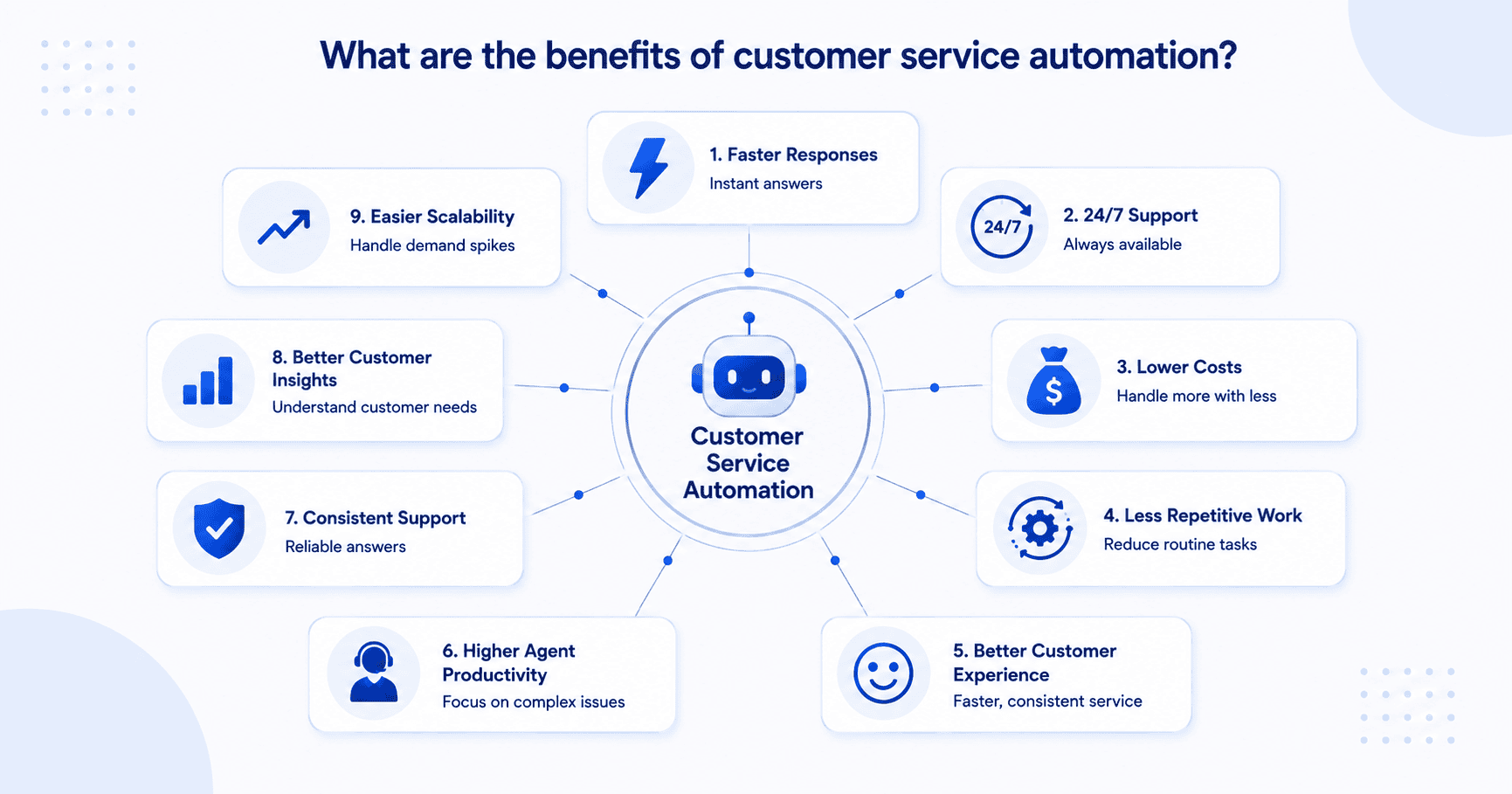
Here’s what businesses actually gain when they put this to work.
- Faster response times. Customers get instant answers instead of waiting in a queue.
- 24/7 support. Automation doesn’t clock out, so questions get answered even after hours.
- Lower support costs. You can handle more volume without scaling headcount at the same rate.
- Less repetitive work. Agents stop spending their day on the same five questions.
- A better customer experience. Faster, more consistent resolutions tend to make people happier.
- Higher agent productivity. Your team gets to focus on the issues that actually need judgment and empathy.
- More consistent support. Automated workflows deliver the same quality answer every time.
- Better customer insights. Interaction data reveals patterns and pain points you might not have noticed otherwise.
- Easier scalability. You can handle a sudden spike in support volume without panic hiring.
Customer service automation examples
Seeing this in action makes it a lot easier to picture how it fits your business.
| Use case | What automation does | Customer benefit |
|---|---|---|
| FAQ support | Answers common questions | Instant answers |
| Order tracking | Retrieves shipping information | No agent wait |
| Password resets | Guides customers through reset | Faster resolution |
| Ticket routing | Assigns tickets automatically | Faster escalation |
| Appointment scheduling | Books available slots | Less back and forth |
| Feedback collection | Sends CSAT or NPS surveys | Easier feedback |
| Billing questions | Provides account information | Faster support |
| Troubleshooting | Provides guided solutions | Self-service |
Different industries lean on this in different ways too. Ecommerce brands automate order tracking and returns. Banks use it for account and card inquiries. Healthcare providers automate appointment scheduling. SaaS companies use it for onboarding and troubleshooting. If you want to go deeper on any of these, we’ve got dedicated guides on customer service automation in banking, ecommerce and healthcare.
What should you automate in customer service?
This is where a lot of businesses get it wrong. Not everything belongs in a bot’s hands.
| Good candidates for automation | Better handled by humans |
|---|---|
| FAQs | Sensitive complaints |
| Order status | Complex billing disputes |
| Password resets | Emotional situations |
| Appointment booking | High-value customer issues |
| Ticket classification | Legal or sensitive cases |
| Basic troubleshooting | Complex troubleshooting |
| Status notifications | Situations requiring negotiation |
The general rule: automate what’s repetitive, predictable and low-risk. Keep a human in the loop whenever empathy, judgment or a complicated decision is involved.
This matters just as much for customer service automation for small business and customer service automation for startups, where teams are small and can’t afford to burn hours on routine requests. Automating the easy stuff is one of the clearest benefits of customer service automation, freeing up the few people you do have to focus on the customers who need real attention, and on closing new business.
Also read: AI Research tools
This matters just as much for customer service automation for small business and customer service automation for startups, where teams are small and can’t afford to burn hours on routine requests. Automating the easy stuff is one of the clearest benefits of customer service automation, freeing up the few people you do have to focus on the customers who need real attention, and on closing new business.
How to implement customer service automation?
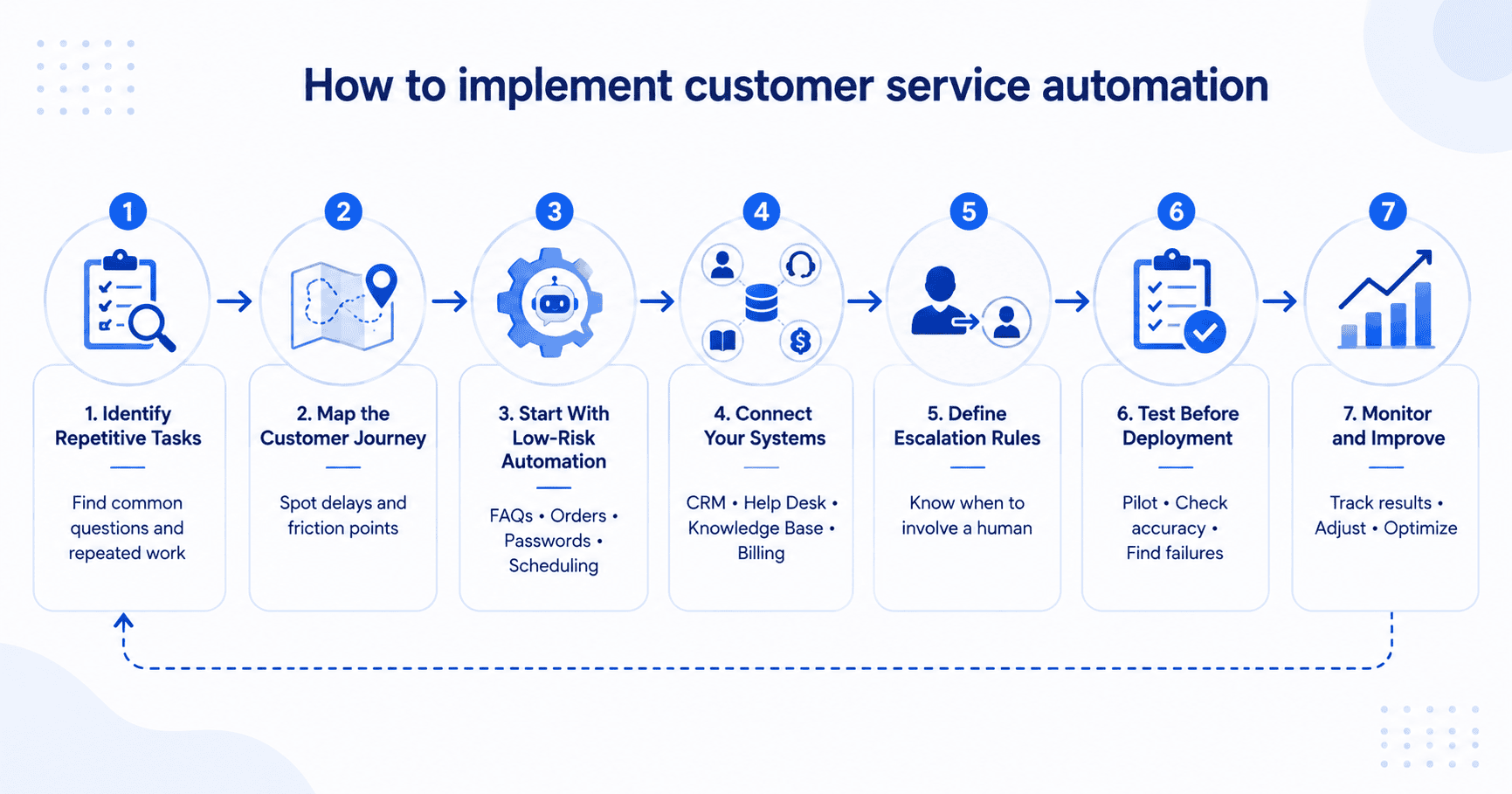
If you’re ready to actually put this into practice, here’s a practical path forward.
1. Identify repetitive customer service tasks
Look at your ticket volume, your most frequently asked questions, the actions your agents repeat constantly and where response delays or common escalation points tend to show up.
2. Map the customer journey
Find the spots where customers hit long waits, get asked the same question twice, experience a rough handoff, or end up talking to an agent for something that didn’t really need one.
3. Start with low-risk automation
Don’t try to automate everything at once. Start with FAQs, order tracking, password resets, appointment scheduling and ticket routing.
4. Connect your knowledge base and business systems
Automation only works as well as the systems behind it. That means integrating with your CRM, help desk, knowledge base, order management and billing systems.
5. Define escalation rules
Decide clearly when a conversation needs to go to a human, and build that logic in from the start.
6. Test before full deployment
Run a pilot. Check for accuracy, escalation patterns, customer satisfaction and any failure cases before rolling it out fully.
7. Monitor and improve
Automation isn’t a set it and forget it project. Keep watching how it performs and adjust as you go.
How to measure customer service automation success?
Once it’s live, here’s what tells you whether customer service automation is actually working.
- First contact resolution (FCR): How often an issue gets resolved during the first interaction.
- Automated resolution rate: The percentage of issues resolved without any human involvement.
- Average resolution time: How quickly issues get resolved overall.
- Customer satisfaction (CSAT): Whether customers are happy with the support they received.
- Customer effort score (CES): How easy it was for the customer to get help.
- Escalation rate: How often automated interactions still need a human to step in.
- Cost per contact: What it costs, on average, to handle each customer interaction.
What are the challenges of customer service automation?
It’s not all upside, and it’s worth going in with eyes open.
- Losing the human touch. Automation can feel frustrating fast if a customer can’t reach a real person when they need one.
- Incorrect or irrelevant responses. Weak AI or outdated knowledge sources can lead to bad answers, which erodes trust quickly.
- Bot loops. Customers can get stuck repeating the same information over and over without getting anywhere.
- Integration complexity. Automation needs access to your CRM, ticketing system and other business tools and connecting all of that isn’t always simple.
- Data privacy and security. Customer information needs to be handled carefully, especially as more of it flows through automated systems.
- Initial implementation costs. Tools, integrations and training all take investment upfront.
The good news is most of these risks shrink a lot with careful planning, clear escalation paths and picking customer service automation tools built for your specific business rather than a generic one size fits all setup.
Also read: What Is an AI Chatbot? A Beginner’s Guide
How to choose customer service automation software?
Rather than chasing a “best of” list, focus on what actually matters for your business:
- AI capabilities and how well it understands intent
- Omnichannel support
- CRM integrations
- Knowledge base integration
- Workflow builder
- Human escalation options
- Analytics and reporting
- Security and compliance
- Scalability
- Ease of implementation
- Total cost of ownership
If you want a closer look at specific tools, check out our guide on the best customer service automation software.
Customer service automation vs human support
| Customer service automation | Human support |
|---|---|
| 24/7 availability | Empathy and judgment |
| Handles repetitive tasks | Handles complex issues |
| Fast responses | Personalized conversations |
| Consistent answers | Flexible problem-solving |
| Handles high volumes | Handles sensitive situations |
The real answer isn’t automation versus humans. It’s automation working alongside humans, each doing what they do best.
The future of customer service automation
Generative AI and AI agents are pushing automation past simply answering questions. The next stage looks more like automation that predicts what a customer needs before they ask, reaches out proactively, keeps context across every channel and actually takes action, like updating records or processing a request on its own, instead of just pointing someone in the right direction.
Also read: How much virtual receptionist cost for small businesses in 2026?
Final thoughts
Customer service automation isn’t just about slapping a chatbot on your website. It’s about figuring out which repetitive tasks are eating your team’s time, automating the right ones, connecting the systems that make it work, and giving your human agents the context they need when something more complex lands in their lap.
If you’re a small business or startup trying to do more with a lean team, customer service automation can help you do more with a lean team while keeping human agents focused on conversations that need their attention.
Ready to automate customer service? Try Bluehost Front Desk Agent.
FAQs
It’s the use of AI, workflows and other tools to handle repetitive support tasks like answering FAQs, tracking orders and routing tickets, with minimal human involvement needed.
Common examples include chatbots, ticket routing, order tracking, IVR systems, knowledge bases and automated emails.
Faster response times, 24/7 availability, lower costs and higher agent productivity are the biggest ones.
Not really, and it shouldn’t try to. It works best as a way to augment your team by handling repetitive tasks so agents can focus on what actually needs a person.
Stick to tasks that are repetitive, predictable and low-risk, like FAQs, order status checks and appointment booking.
Track metrics like first contact resolution, automated resolution rate, resolution time, CSAT and escalation rate.

Write A Comment