 ChatGPT,
 Claude,
 Gemini,
 Grok — all four for
Key highlights
- Understand what a fully qualified domain name is and how it differs from a regular domain name in real business use cases.
- Learn how FQDN structure works by breaking down hostnames, subdomains, domains and TLDs with clear examples.
- Explore practical FQDN examples used for websites, email servers, applications and staging environments in business setups.
- Know how DNS relies on FQDNs to route traffic accurately and why incorrect naming can cause email or website issues.
- Uncover common FQDN mistakes businesses make and how to avoid configuration problems as your domain setup grows.
Most businesses spend a lot of time picking the perfect domain name. But what happens after that often gets overlooked and that’s where things like email issues, broken apps and confusing DNS errors start showing up.
This is where the concept of a Fully Qualified Domain Name (FQDN) comes in.
If you’ve ever seen addresses like [mail].[yourbusiness].[com] or [app].[store].[yourbusiness].[com] and wondered why they’re structured that way, you’re already looking at an FQDN in action. It’s the full, complete version of a domain that tells the internet exactly where a service lives.
In this guide, we have FQDN explained for businesses in a practical way. You’ll learn what an FQDN actually is, how it’s structure and see real examples of how companies use fully qualified domain names for websites. By the end, you’ll have a clear blueprint of how your domain really works and why it matters more than most people realize.
What is a Fully Qualified Domain Name (FQDN)?
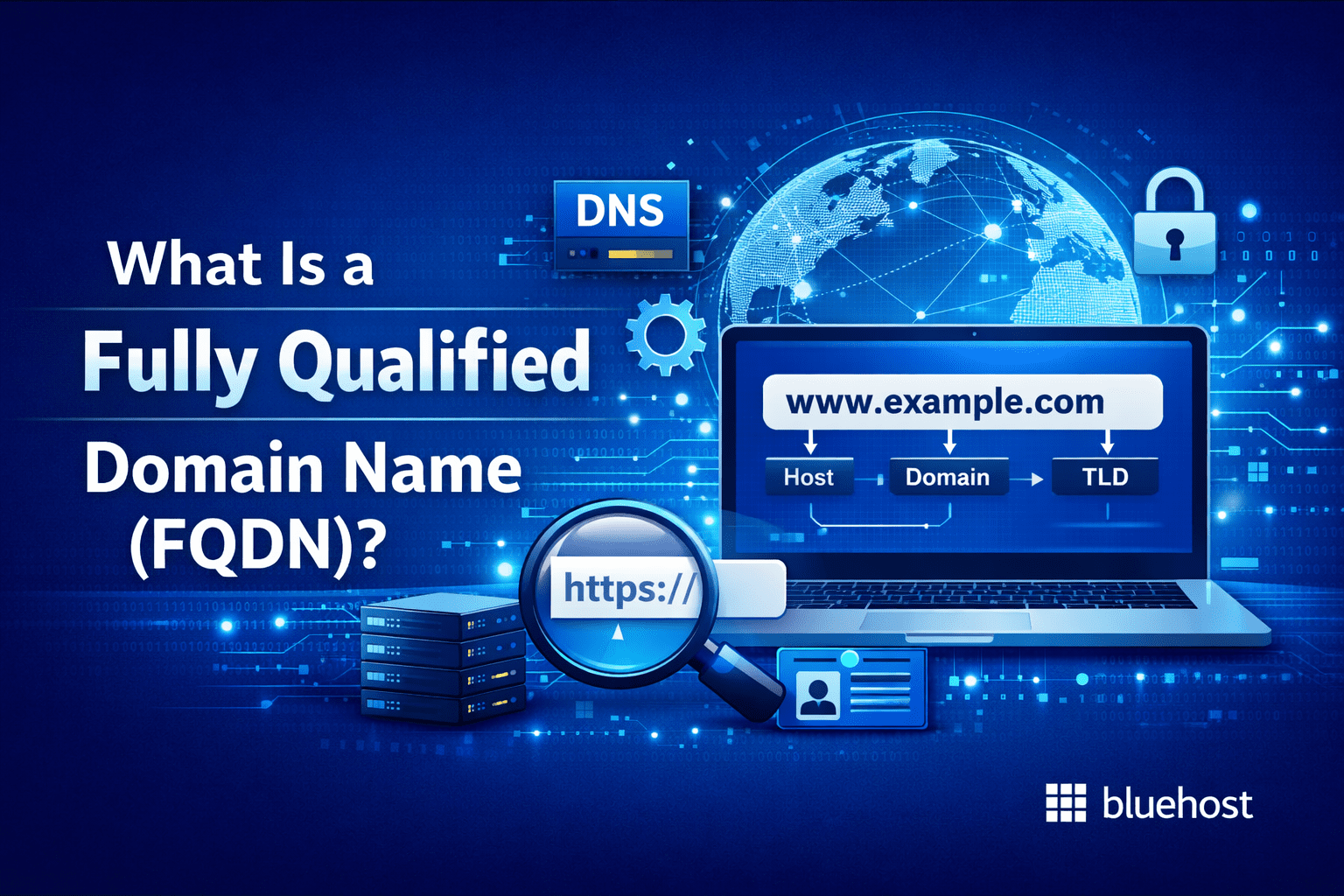
A Fully Qualified Domain Name (FQDN) is the complete, exact address of a resource on the Internet. It includes every part of the domain hierarchy needed to identify one specific location in the Domain Name System (DNS).
In simple terms, an FQDN leaves nothing out. For example: [mail].[yourbusiness].[com]
This isn’t just a random string of words. It tells DNS exactly which server or service to look for and where it sits within the domain structure. There’s no assumption, no “default” behavior and no ambiguity involved.
This is what makes an FQDN different from a regular domain name. While [yourbusiness].[com] refers to a domain in general, [mail].[yourbusiness].[com] points to a very specific function inside that domain. In this case, an email server.
From a business perspective, FQDNs are used everywhere, even if you don’t always notice them. They power:
- Website URLs
- Email servers and MX records
- Application endpoints
- Internal tools and APIs
- Hosting and cloud environments
Technically speaking, an FQDN can also include a trailing dot at the end (like [mail].[yourbusiness].[com].), which represents the root of the DNS hierarchy. You won’t usually see it in day-to-day use, but behind the scenes, that dot confirms the name is fully qualified and complete.
The key takeaway is this: DNS relies on FQDNs to know exactly where to send traffic. For businesses, that accuracy is critical. A missing or misconfigured FQDN can lead to emails not delivering, websites failing to load or services breaking unexpectedly.
FQDN structure explained with a clear breakdown
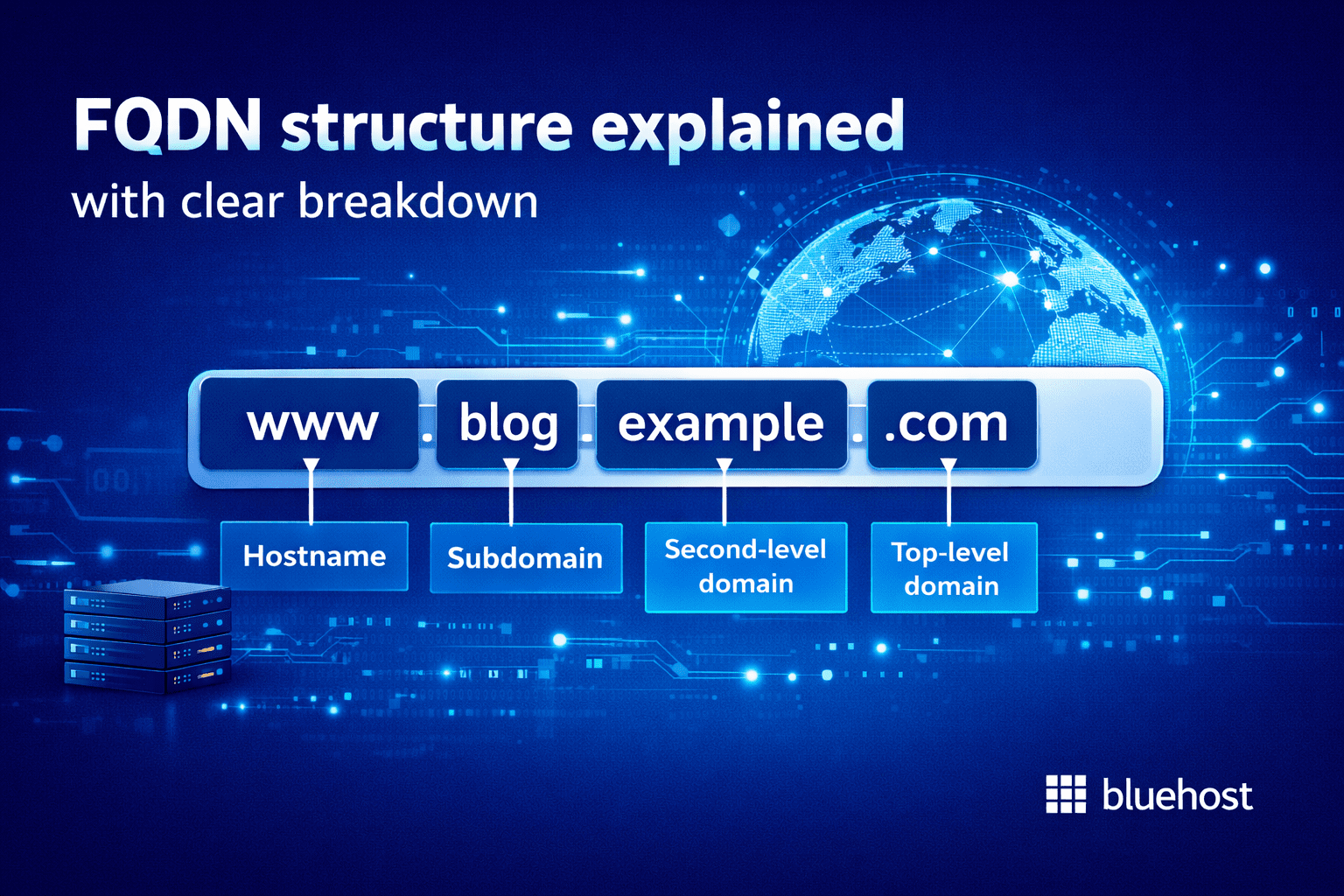
At first glance, an FQDN can look complicated. But once you break it down into pieces, it’s actually very logical. Each part exists for a reason and together they form a clear path that DNS can follow.
Let’s start with a simple example:
[mail].[sales].[yourbusiness].[com]
This is a fully qualified domain name. Now let’s walk through it piece by piece.
1. Hostname
The first section [mail] tells DNS what you’re trying to reach.
This is called the hostname. It usually describes the role of the server or service, like email, web or an app. You’ve probably seen common ones such as www, mail or api without thinking much about them.
For businesses, hostnames are useful because they keep different services organized under the same domain instead of everything being lumped together.
2. Subdomain
Next up is [sales].
This is a subdomain. Not every FQDN needs one, but businesses use them all the time to separate teams, regions or functions.
Some real-world examples:
- [shop].[yourbusiness].[com] for an online store
- [support].[yourbusiness].[com] for customer help
- [staging].[yourbusiness].[com] for testing
- [eu].[yourbusiness].[com] for regional traffic
Subdomains give you room to grow without buying more domains or creating a mess later.
3. Second-level domain
This part should feel familiar: [yourbusiness]
It’s your registered domain name and the foundation of your online identity. Everything else in the FQDN builds on top of this.
From a branding point of view, this is the part customers remember. From a technical point of view, it’s the anchor for all your DNS records.
4. Top-level domain (TLD)
After that comes: [com]
This is the top-level domain or TLD. It tells DNS which namespace your domain belongs to. Whether it’s .com, .net, .org or something newer, the role stays the same.
For most businesses, the TLD is more about trust and recognition than technical behavior.
Also read: Popular Domain Extensions: Which One Is Right for You?
5. Root domain (dot)
Technically, a fully qualified domain name ends with a dot: [mail].[sales].[yourbusiness].[com].
That dot represents the root of the DNS system. You almost never type it out, but it’s there in the background confirming the domain is complete.
It’s a small detail, but it’s also what makes the name fully qualified.
Putting it all together
When DNS looks up an FQDN, it doesn’t guess. It starts at the root, moves through the TLD, then the domain, then the subdomain and finally the hostname. That precision is what allows websites to load correctly and emails to reach the right server.
For businesses, understanding this structure makes it much easier to:
- Set up DNS records correctly
- Troubleshoot issues faster
- Scale services without breaking existing ones
Understanding how an FQDN is structured is one thing. Having the right domain setup makes a difference.
With Bluehost, you can search for and register the right domain, manage hostnames, subdomains and DNS records from one place and even transfer existing domains without disruption.
With Bluehost Domains, you also get:
- Domain Expiration Protection to help prevent accidental domain loss due to missed renewals.
- Domain name search and AI domain generator to help find a relevant, brand-ready web address.
- Premium domain options if your business needs a more authoritative or SEO-friendly name.
- Easy domain transfers so you can move existing domains to Bluehost without downtime.
- Domain Privacy + Protection to keep personal contact details out of public WHOIS records.
Bluehost is a practical choice if you want your domain and DNS managed from one dashboard.
FQDN examples for real businesses
To really understand how a fully qualified domain name works in a business environment, it helps to see how companies actually use FQDNs in everyday setups. These examples show how different services rely on clearly defined domain paths to function properly.
1. Website FQDN
[www].[yourbusiness].[com]
This is a classic FQDN example for a business website.
Here, www is the hostname that points to the web server, while [yourbusiness].[com] is the registered domain.
Some businesses choose not to use www and instead point the root domain directly to their site. Either way, DNS still resolves the request using a fully qualified domain name behind the scenes.
2. Email server FQDN
[mail].[yourbusiness].[com]
Email is one of the most common places where FQDNs matter the most. Mail servers rely on fully qualified domain names defined in DNS and MX records to route messages correctly.
If the email server FQDN is missing or misconfigured, emails may bounce, land in spam or never arrive at all. Which is why businesses usually notice FQDN issues first through email problems.
When setting up a business email with a professional Gmail account, these DNS records need to be added accurately.
If your domain is registered with Bluehost, the Google Workspace setup includes a guided flow that helps configure the required MX and related DNS records, reducing the chances of errors during setup. Bluehost Google Workspace plans keep domain and email management in one dashboard, making it easier to manage DNS, users and renewals without switching providers.
You also get professional Gmail on your domain, access to Google tools like Drive, Docs, Calendar and Meet and 24/7 support for setup and ongoing email or DNS issues.
With Bluehost Google Workspace, you get:
- Guided domain connection and DNS setup during onboarding
- Centralized management for domain, email and billing
- Professional Gmail with your custom domain
- Access to Google Workspace collaboration tools
- Plan-based access to AI-powered productivity features
- 24/7 expert support through Bluehost
3. Online store FQDN
[shop].[yourbusiness].[com]
Many businesses separate their main website from their store or application. Using a dedicated FQDN like this makes it easier to manage security, performance and updates without impacting the rest of the site.
This approach is common for eCommerce stores, booking systems and subscription-based platforms.
4. API or internal service FQDN
[api].[yourbusiness].[com]
APIs and internal services almost always use their own FQDNs. This allows applications to communicate securely and consistently, even as systems scale or move between servers.
Customers rarely see these addresses, but they play a critical role in how modern business software operates.
Also read: How to Add Google reCAPTCHA to Websites and Get an API Key
5. Regional FQDN
[eu].[yourbusiness].[com]
Larger businesses often use FQDNs to route traffic by region, language or department. This helps with performance optimization, compliance requirements and cleaner DNS management as operations expand.
6. Testing and staging FQDN
[staging].[yourbusiness].[com]
Before changes go live, teams typically test them in a staging environment. Assigning a separate fully qualified domain name keeps testing isolated and prevents disruptions to the live site.
This is especially important for agencies and businesses that deploy updates frequently.
Also read: How to Create a Staging Site in WordPress
How does DNS use FQDNs to route traffic?
Every time someone visits your website or sends an email to your business, DNS has one simple job: figure out where that request needs to go. Fully qualified domain names are what make that possible.
When a request is made using an FQDN, DNS follows a clear path.
Here’s what happens, step by step.
1. DNS lookup starts at the root
Even though you never type it out, every FQDN technically ends at the DNS root. DNS begins there and then moves down the hierarchy one level at a time.
So when someone accesses [mail].[sales].[yourbusiness].[com], DNS looks for:
- the [com] top-level domain
- the [yourbusiness].[com] domain
- the [sales] subdomain
- and finally the [mail] service
Also read: DNS Records Introduction: A Beginner’s Guide
2. FQDN identifies the service
The hostname part of the FQDN tells DNS what type of service is being requested. Common business hostnames include [www], [mail], [api] and [shop].
Because the full name is provided, DNS can immediately tell whether the request is for a website, an email server or an application. This is why business systems almost always require a fully qualified domain name.
3. DNS records route traffic
Once DNS understands the full domain path, it checks the relevant DNS records to determine where traffic should be sent.
Records like A, AAAA, CNAME and MX all depend on fully qualified domain names. If the FQDN in the record doesn’t match exactly, DNS can’t complete the request.
If your domain is managed in Bluehost, you can review and manage DNS records from your cPanel.
4. Partial names cause issues
Using incomplete domain names can lead to problems. A hostname like [mail] on its own doesn’t provide enough context for DNS to resolve it correctly.
That’s why servers, email platforms and cloud services insist on FQDNs. They remove ambiguity and ensure traffic reaches the right destination every time.
Once your FQDN points traffic to the right place, your hosting environment takes over. With Bluehost hosting, your fully qualified domain names connect directly to a stable hosting environment built for business websites and applications. This helps ensure your domain resolves correctly, pages load reliably and services stay accessible as your site grows.
FQDN vs Domain Name vs Hostname
Before diving deeper into DNS and business setups, it helps to clear up a common source of confusion. These three terms are related, but they are not the same thing and mixing them up is where a lot of configuration issues start.
| Term | What it refers to | What it does | Example |
|---|---|---|---|
| Domain name | The registered name of your business online | Identifies your brand on the internet | [yourbusiness].[com] |
| Hostname | The name of a specific service or server | Points to a particular function | [mail] |
| FQDN | The complete domain path | Identifies one exact location in DNS | [mail].[yourbusiness].[com] |
Understanding the difference between a domain name, a hostname and an FQDN helps avoid a lot of unnecessary confusion. Most DNS and email issues don’t happen because something is “broken,” but because these terms are used interchangeably when they shouldn’t be. Once you know which part does what, setting up services and troubleshooting problems becomes far easier.
Why FQDNs matter for businesses?
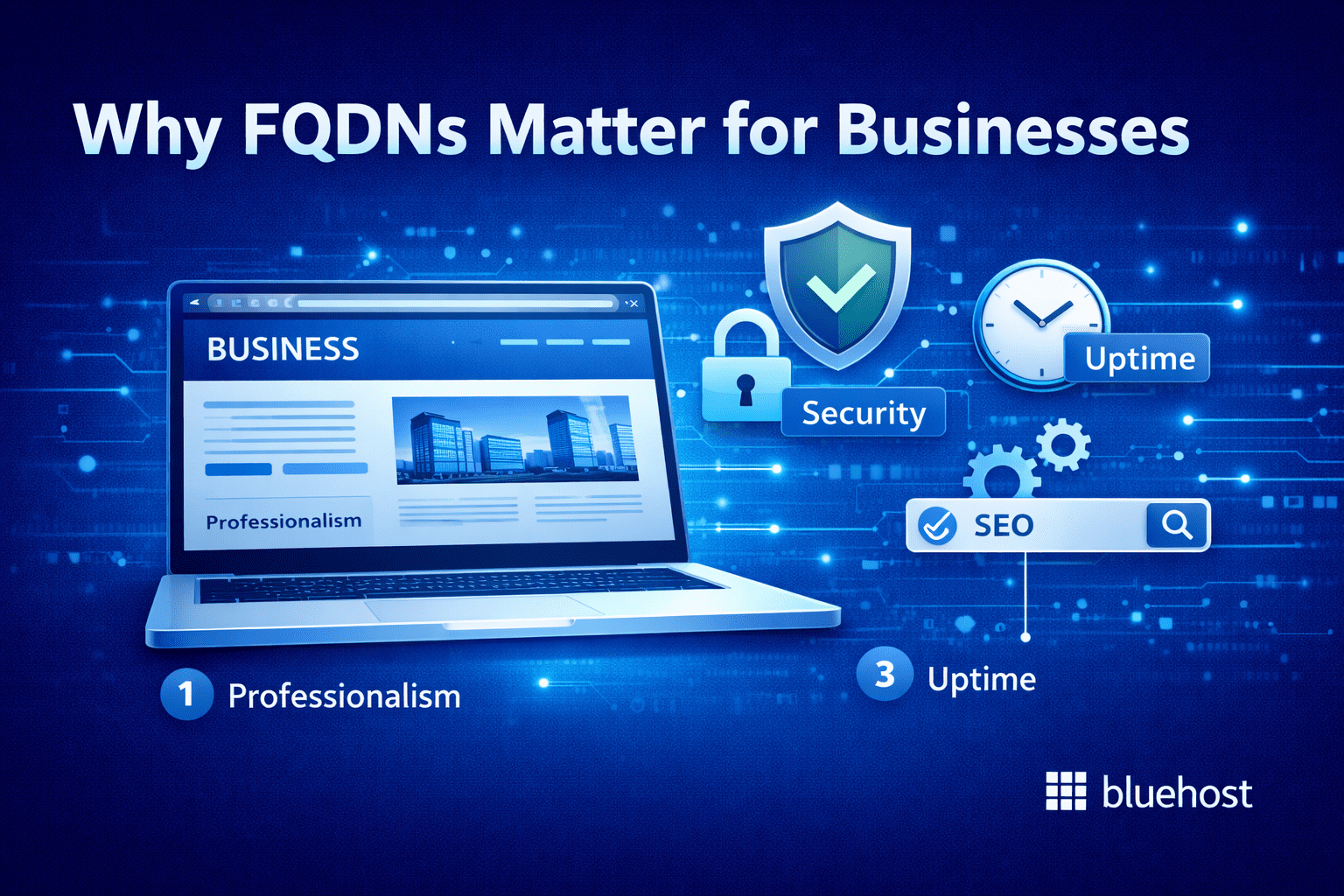
Fully qualified domain names play a direct role in how smoothly your business runs online. When FQDNs are set up correctly, a lot of things just work without you having to think about them.
Key benefits of using FQDNs properly include:
- More reliable email delivery: Email servers depend on exact domain paths to route messages. A correctly configured FQDN helps ensure emails reach inboxes instead of bouncing or ending up in spam.
- Clear and secure website access: SSL certificates are issued for specific fully qualified domain names. Using the right FQDN avoids browser security warnings and keeps customer trust intact.
- Cleaner DNS management: FQDNs make it easier to organize DNS records for websites, apps and services without overlaps or guesswork when something needs updating.
- Better support for business growth: As you add new tools, regions or services, FQDNs let you expand without reworking your entire domain setup.
- Faster troubleshooting when issues come up: When each service has its own FQDN, it’s much easier to pinpoint what’s causing a problem and fix it quickly.
- More predictable performance: Clear domain paths help DNS resolve requests accurately, which reduces misrouting and unexpected downtime.
Also read: How to Purchase or Renew SSL Certificates
Common FQDN mistakes businesses make
Most FQDN issues don’t come from complex setups. They usually happen because something small was overlooked or misunderstood.
Here are the most common mistakes businesses run into and how to steer clear of them.
1. Confusing a domain with an FQDN
One of the most common mistakes is assuming a domain name and an FQDN are the same thing. [yourbusiness].[com] is a domain, but [mail].[yourbusiness].[com] is a fully qualified domain name.
When setting up email, hosting or apps, using only the domain instead of the full address can cause services to fail or behave unpredictably.
How to avoid it: Always check whether a service is asking for a domain name or a fully qualified domain name. They’re not interchangeable.
2. Missing or incorrect subdomains
Another frequent issue is leaving out a subdomain or typing it incorrectly. A small mistake like using [mail].[yourbusiness].[com] instead of [mail].[sales].[yourbusiness].[com] can break email or routing rules.
Because DNS matches names exactly, even a small difference matters.
How to avoid it: Double-check subdomains in DNS records and service settings before saving changes.
Also read: Common DNS Issues and How to Solve Them
3. Using short names in server settings
Some systems allow short names like [mail] or [server1], but these often rely on internal assumptions that don’t work well outside a local network.
In production environments, this can lead to failed connections or inconsistent behavior.
How to avoid it: Use fully qualified domain names in server, email and application configurations whenever possible.
4. SSL certificates not matching the FQDN
SSL certificates are issued for specific fully qualified domain names. If your certificate covers [www].[yourbusiness].[com] but users access the site via [shop].[yourbusiness].[com], browsers will show security warnings.
This is a common issue when businesses add new subdomains without updating certificates.
How to avoid it: Make sure all active FQDNs are included in your SSL certificate before launching new services.
Also read: How to Get Free SSL Certificate in 2026: A Complete Guide
5. Forgetting test or staging environments
Testing environments often get rushed setups. Using live FQDNs or skipping proper naming can lead to confusion or accidental changes to production systems.
How to avoid it: Always use clear, separate FQDNs like [staging].[yourbusiness].[com] for testing and development.
Final Thoughts
A fully qualified domain name is simply the complete version of a domain that DNS relies on to route traffic correctly. For businesses, understanding this helps avoid common setup issues.
You don’t need to manage DNS daily to benefit from this knowledge. Knowing when a service requires an FQDN and using the correct one makes domain configuration more predictable and troubleshooting far easier.
Bluehost web hosting is built for this kind of clarity. You get a single dashboard to manage hosting, domains and DNS, dependable performance for business websites and support that can help when configuration issues come up.
Get started with Bluehost hosting to keep your domain setup simple and consistent.
FAQ’s
A fully qualified domain name (FQDN) is the complete domain address that includes the hostname, domain name and top-level domain. It uniquely identifies the exact location of a website, server or service in DNS without relying on defaults or assumptions.
An example of an FQDN is [mail].[sales].[yourbusiness].[com]. This full structure tells DNS exactly which service is being requested and where it is located within the domain hierarchy.
A domain name, such as [yourbusiness].[com], represents ownership of a name on the internet. An FQDN includes the full path to a specific service, like [mail].[yourbusiness].[com], which DNS uses for routing traffic.
DNS relies on FQDNs to resolve requests accurately and send traffic to the correct destination. Email servers, in particular, require fully qualified domain names in DNS records to deliver messages reliably and avoid delivery issues.
Yes, small businesses use FQDNs even if they’re not aware of it, especially for email, websites and SSL certificates. Understanding how FQDNs work helps prevent setup errors and makes managing domains and services easier as the business grows.

Write A Comment