 ChatGPT,
  Claude,
  Gemini,
  Grok — all four for
 Getting Started with Bluehost AI Website Builder
Introducing the Bluehost AI Website Builder! This AI-powered soluton from Bluehost empowers you to create a professional, fully hosted WordPress website with no coding, design experience, or prior WordPress knowledge required. By answering a few questions about your business, the AI generates a customized website with a starter design and content.
This article explains who the AI Website Builder (or AI Site) is designed for and how to get started with its 14-day free trial.
You can start with either:
- The 14-day Free Trial, which lets you build and preview your website before upgrading
- The Direct-to-Paid Get Online plan, which provides full publishing capabilities from the start.
Follow the steps below to get started with the free trial:
- Step 1: Start Creating Your Website
- Step 2: Sign In or Create a Bluehost Account
- Step 3: Customize Your Website
- Step 4: Upgrade to Get Online to Publish Your Website
You can also choose the Get Online plan directly instead of starting with a free trial. Select from three tiers: Starter, Grow, and Scale, depending on your website needs. Since publishing capabilities are included from the start, you can publish your AI-generated website as soon as you complete the setup and customization process. For step-by-step instructions, see the Creating a Website and Online Store Through the Direct-to-Paid Experience article.
New to Bluehost AI? With the Bluehost AI 14-day free trial, you can create either an online store or a non-eCommerce website. To learn more, see the Build Your Website and Storefront with Bluehost AI Free Trial article.
Who is the AI Website Builder For?
The AI Website Builder is perfect for small business owners, solopreneurs, entrepreneurs, and anyone who wants to launch a professional WordPress website quickly. No coding or technical experience is needed!
What Makes It Unique?
- You keep full ownership of your content and data with Bluehost Shared hosting.
- Enjoy bundled hosting, a domain, and a website builder with no extra accounts to manage.
- Get SEO and plugins set up for you on paid plans.
- Access live WordPress experts 24/7.
We have created a video to help you set up your website with the AI Website Builder.
Step 1: Start Creating Your Website
Follow these simple steps to get started with AI Website Builder.
- Visit https://www.bluehost.com and use one of the following methods to access the AI Website Builder.
- Option 1: Click the Build tab in the top menu, then select AI Website Builder.
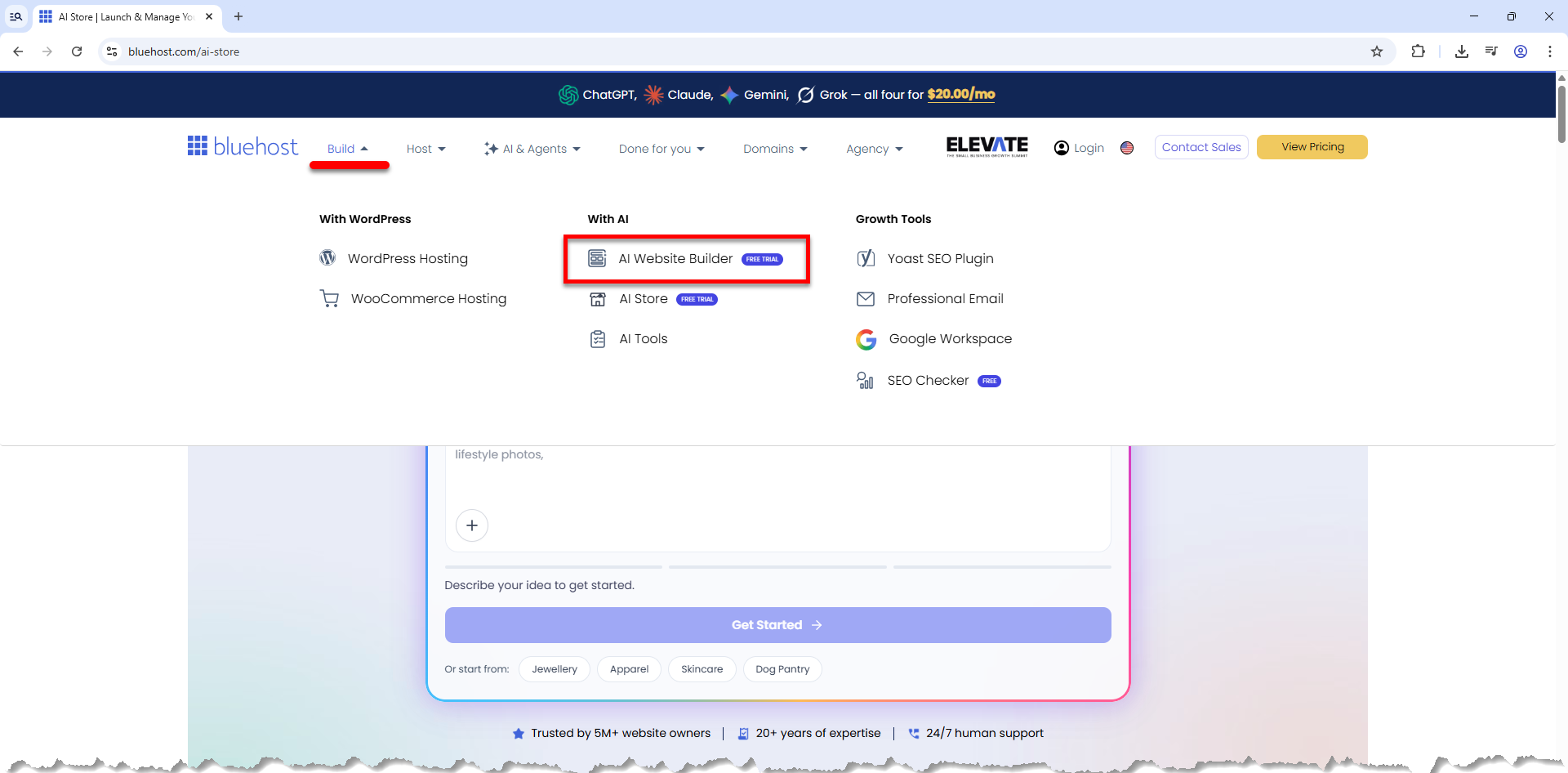
- Option 2: You can also go directly to https://www.bluehost.com/ai-website-builder. Pre-built prompts are available here!
- Option 1: Click the Build tab in the top menu, then select AI Website Builder.
- Describe your business, brand, or project in a few words in the prompt box to help the AI understand the type of website you want to create.
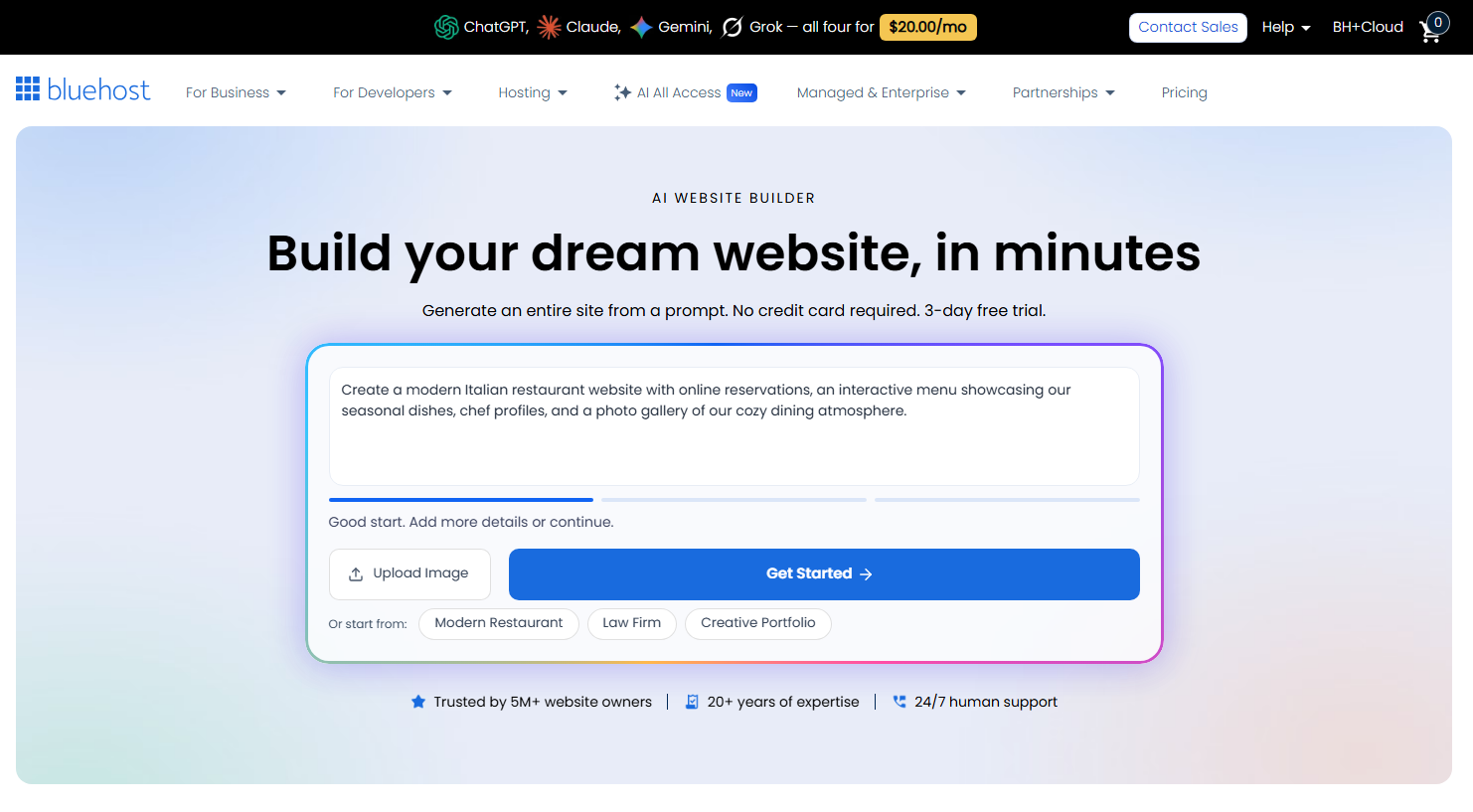
If you need help crafting a better prompt, refer to the How to Build a Website Using AI Prompts guide.
- Enhance your prompt by clicking the plus icon (+) located at the bottom-left corner of the prompt box to provide visual inspiration.
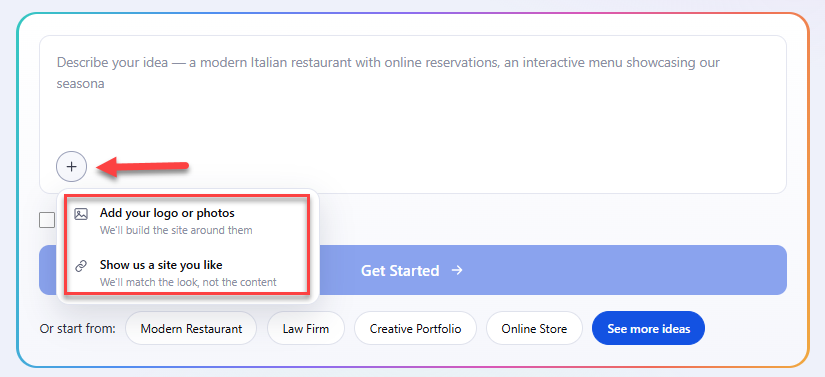
- Add your logo or photos: Upload your custom brand assets so the AI can build your site around them.
- Show us a site you like: Paste the link of a reference website to have the AI match its visual style and design structure without copying the content.
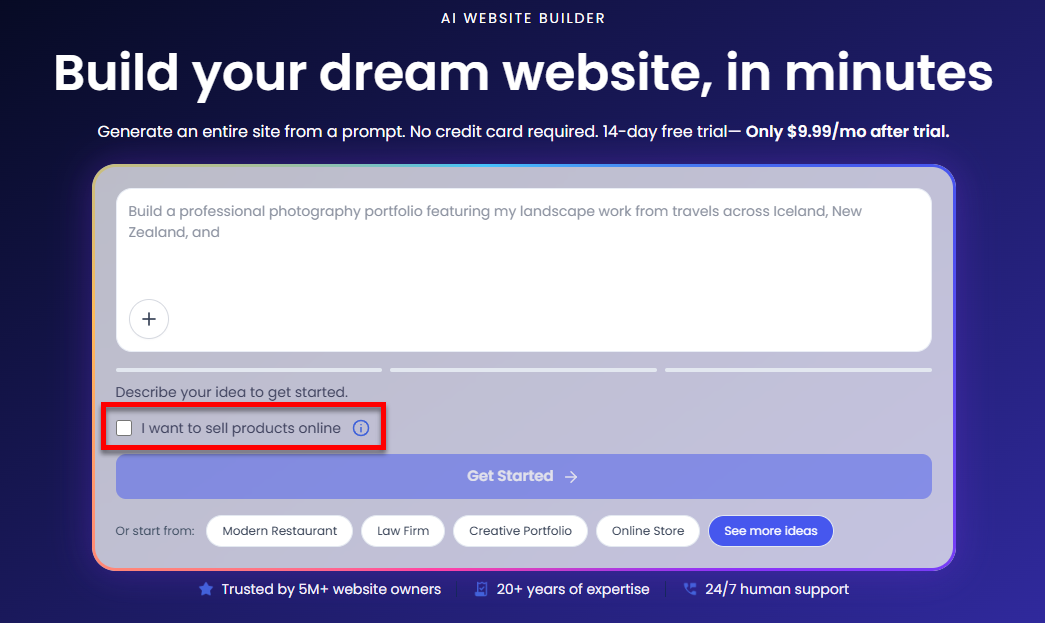
You can upload a maximum of 3 images and provide only 1 reference URL. - If you plan to sell products online, select the checkbox "I want to sell products online" before proceeding. This step is optional. Leave it unchecked if you want to create a non-eCommerce website.
- Based on your selection:
- If the checkbox is selected, you'll be directed to the AI Store setup process, where you can create a fully functional eCommerce website.
- If the checkbox is not selected, you'll continue with the AI Website Builder to create a blog, portfolio, business site, or informational website.
- If the checkbox is selected, you'll be directed to the AI Store setup process, where you can create a fully functional eCommerce website.
- When you're ready, click Get Started.
Step 2: Sign In or Create a Bluehost Account
- You will be prompted to sign up for a Bluehost account. You can use your email or sign in with your Google, Apple, or GitHub account.
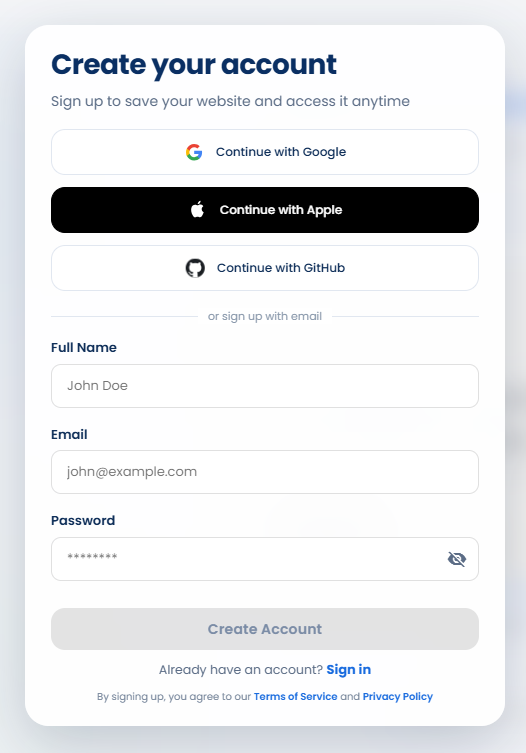
If you already have a Bluehost account, use your Bluehost credentials to log in.
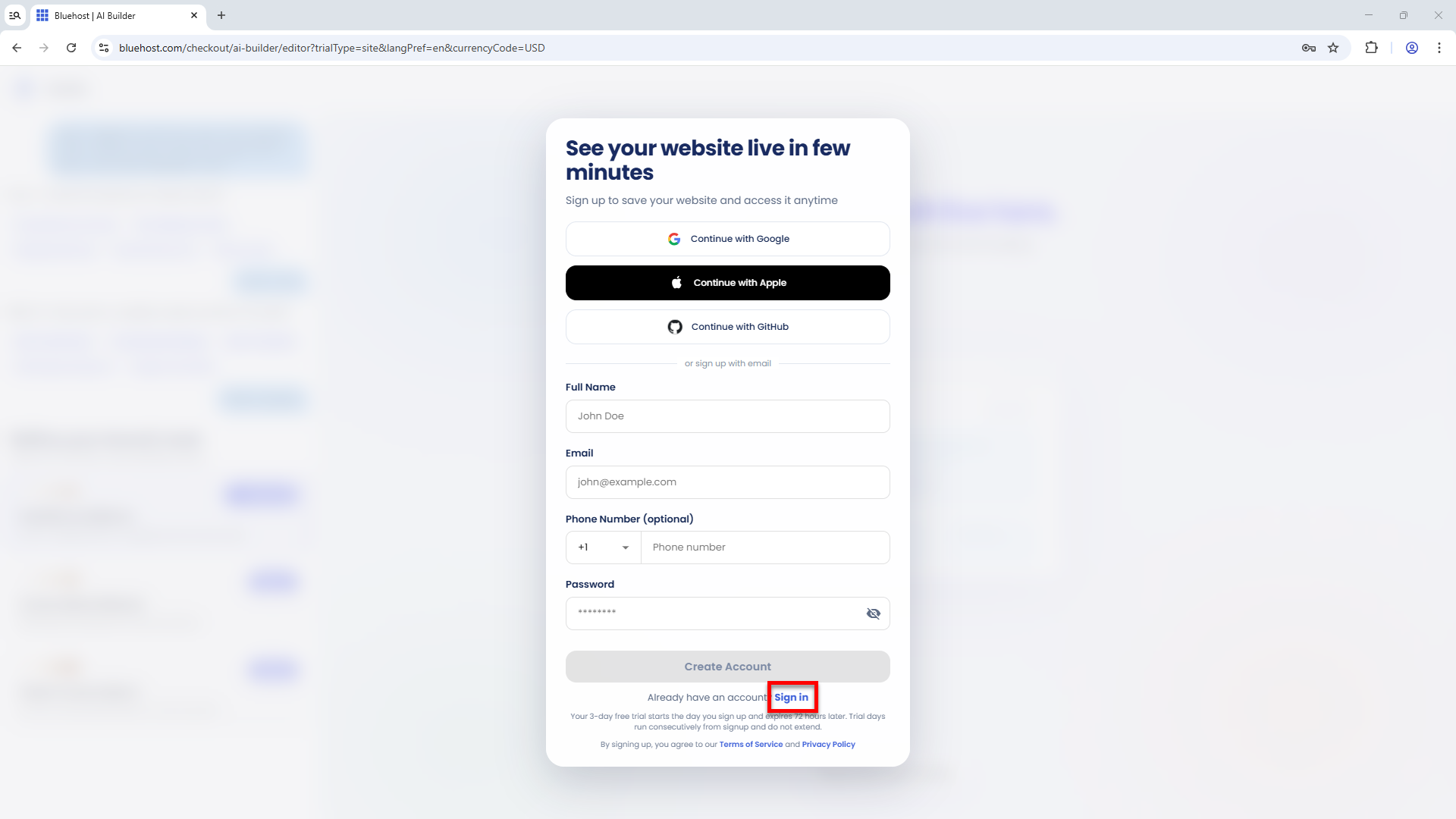
- The system will either create your Bluehost account or sign you in to your existing one.
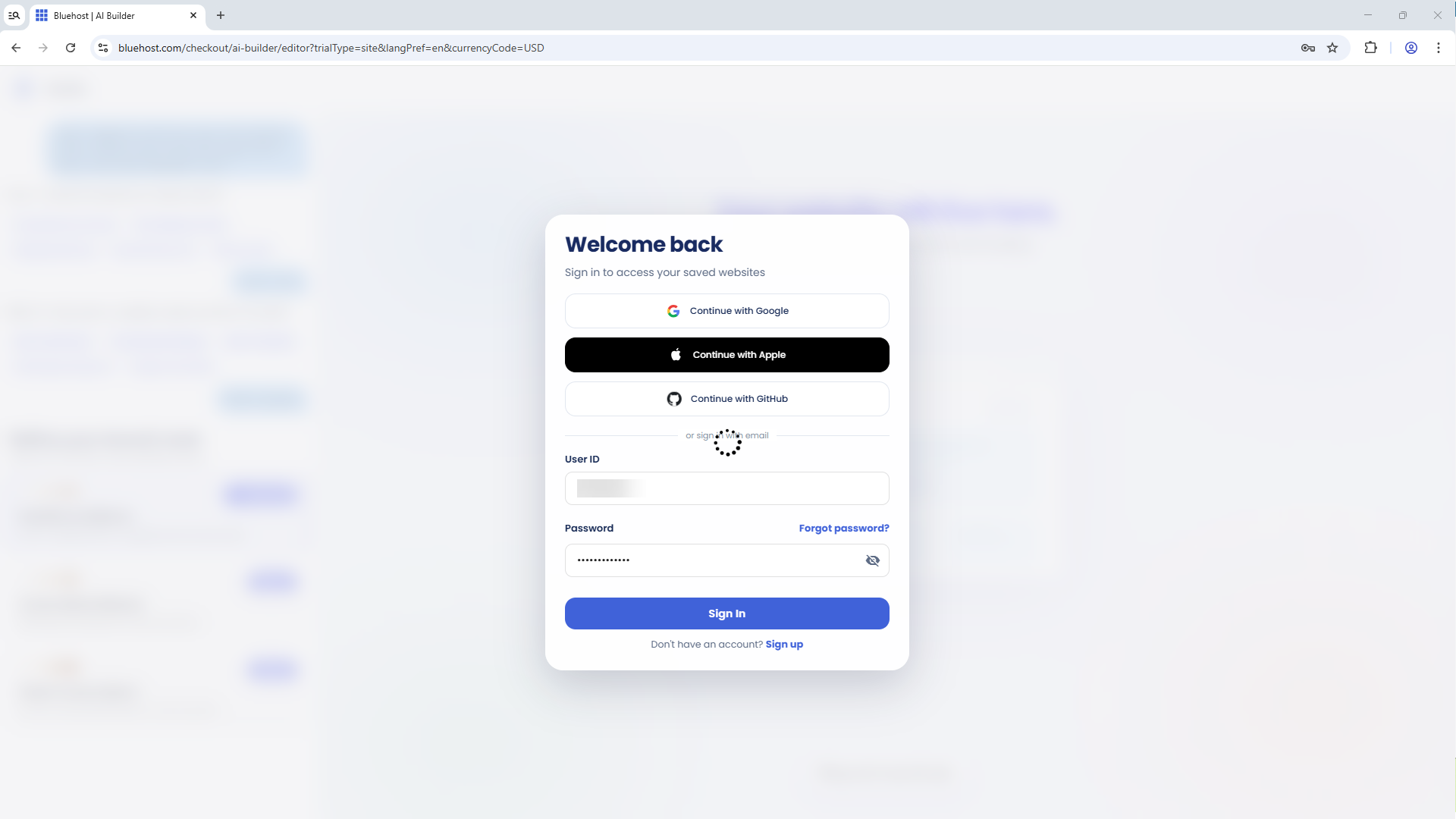
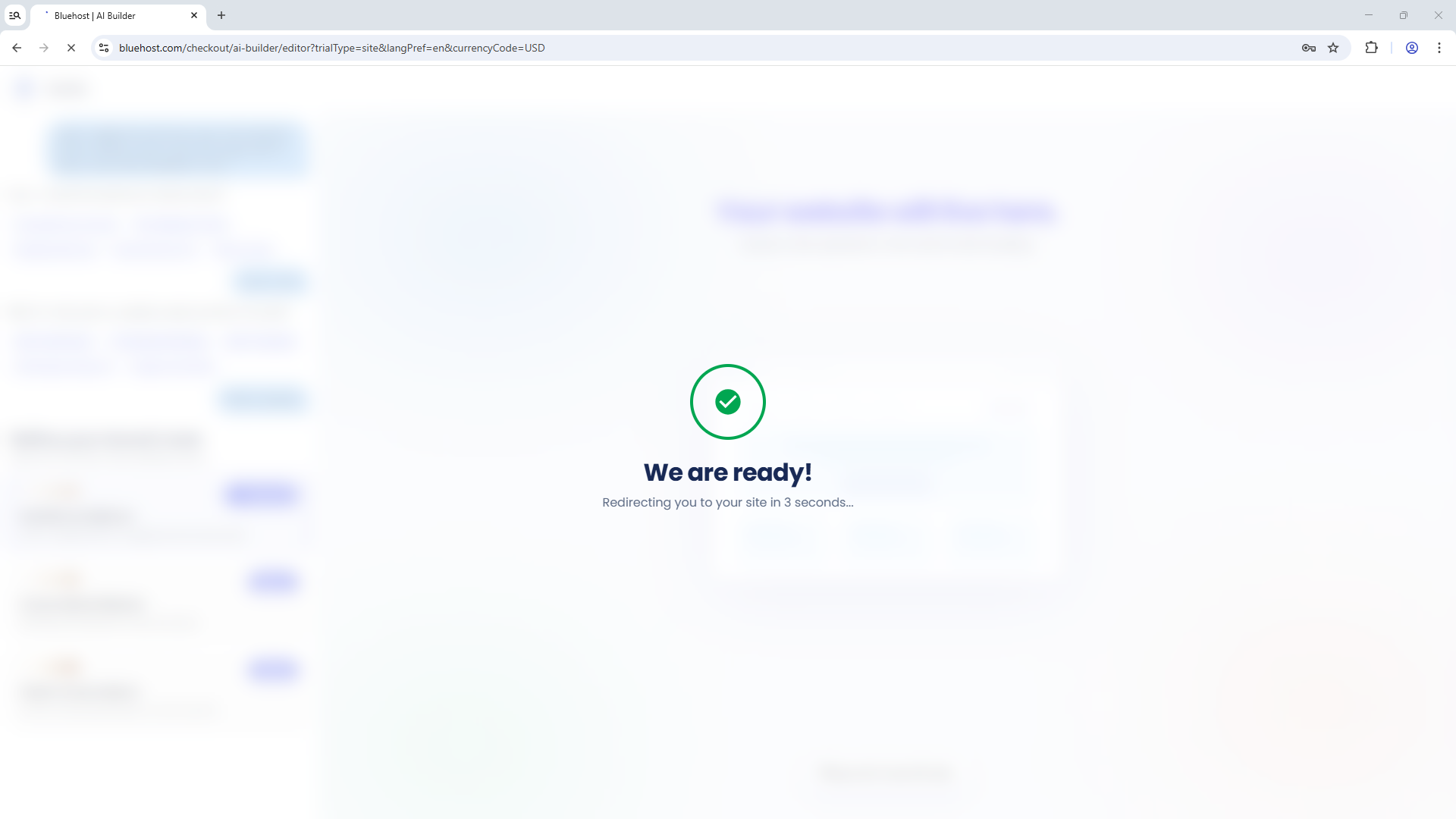
Once you're signed in, the AI will continue analyzing your website details and setting up your website.
Step 3: Customize Your Website
- If you leave the checkbox unchecked, the AI will continue creating your website as a non-eCommerce site.
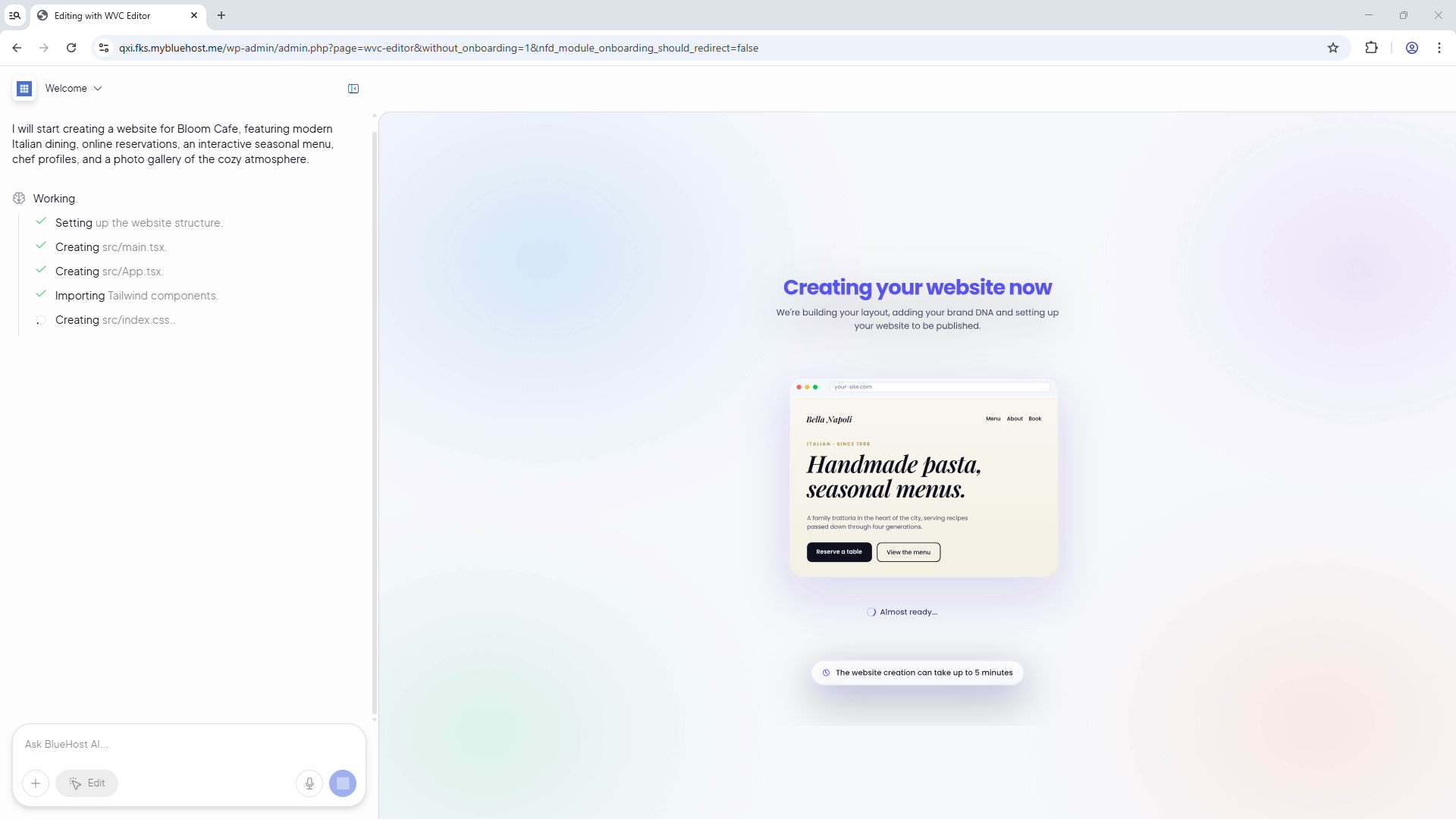
- The AI will then generate your website. You'll have the option to further customize your website, view its source code, or upgrade your plan.
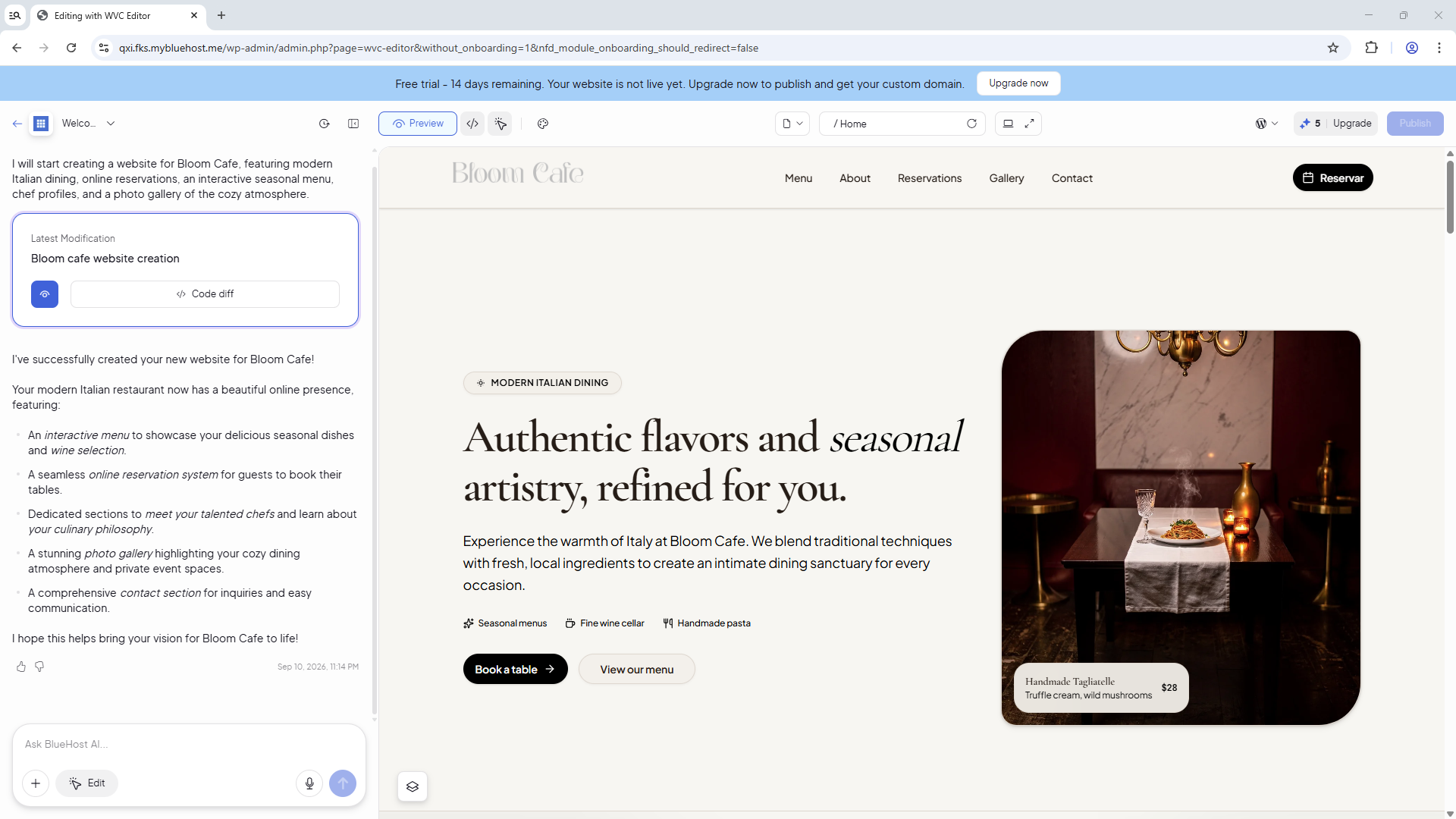
- You can make the following changes:
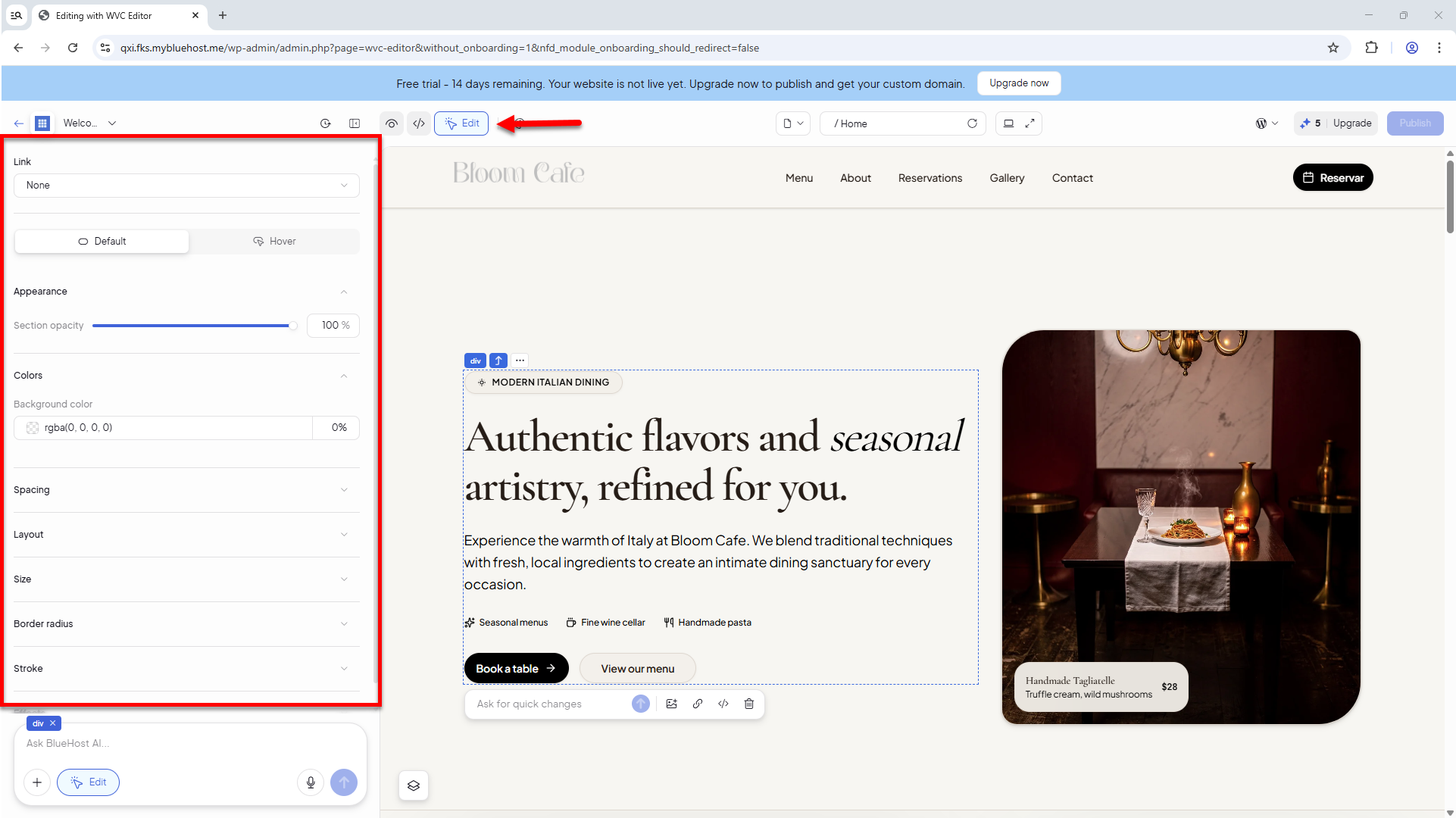
- To manually edit your site, click the Edit icon, select an element in the right pane, and use the drag-and-drop editor in the left pane to make your changes.
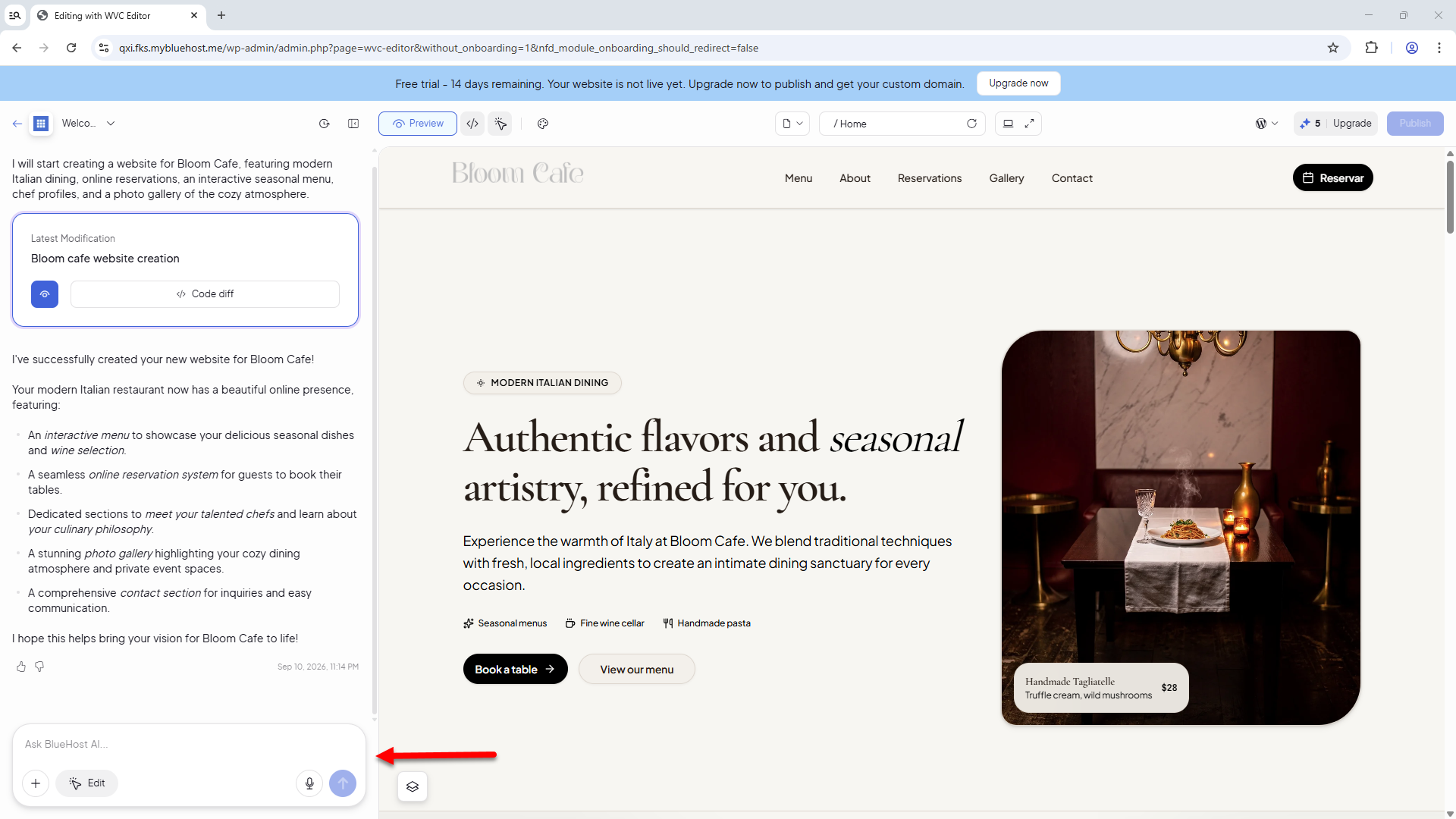
- To have the AI make changes, simply use the chatbox to describe the updates you'd like to make. The more specific your instructions are, the better the results will be.
Please note that each request submitted through the AI chatbox uses one credit.
- To manually edit your site, click the Edit icon, select an element in the right pane, and use the drag-and-drop editor in the left pane to make your changes.
Step 4: Upgrade to Paid Get Online to Publish Your Website
Ready to publish your website?
Once you've finished customizing your site, upgrade to the paid Get Online Starter plan to publish your website and make it accessible online. As your needs grow, you can upgrade to the Get Online Grow or Get Online Scale plan for additional features and resources.
Where to Find the AI Credits
To view your AI Website Builder credits, click your website name in the top-left corner.
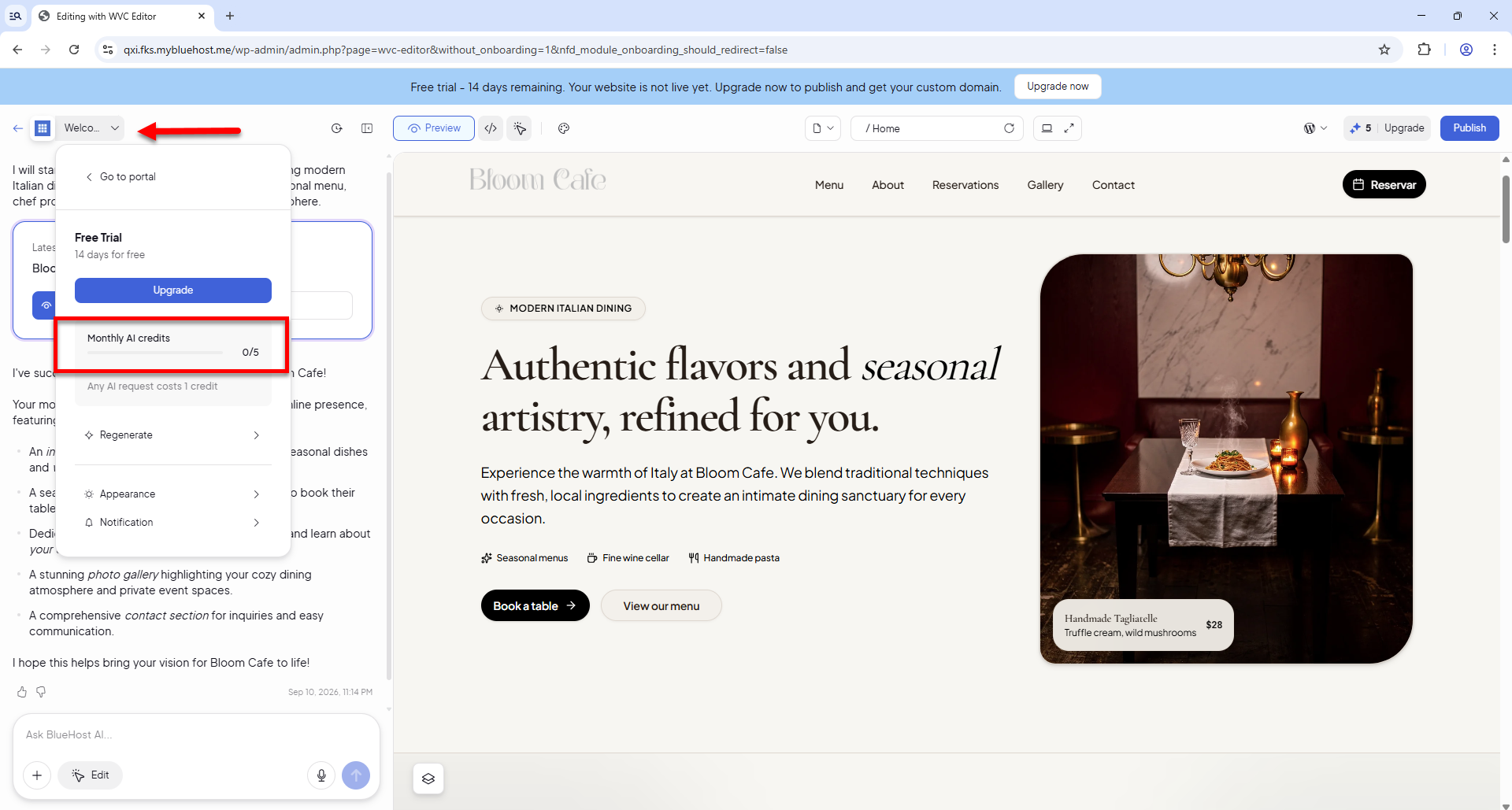
Your AI credit usage appears under Monthly AI Credits as x/5, where x is the number of credits used. Credits typically reset each billing cycle and do not roll over.
Key Features of the AI Website Builder
- AI prompt qualifier: The AI asks up to five tailored, industry-specific questions before generating your site, ensuring a relevant first draft.
- All-in-one bundle: Site creation, WordPress hosting, and domain registration are handled in a single checkout without separate registrar accounts to manage.
- AI image generation and editing: Replace any image by describing what you want. The AI generates new images in-line without stock photo subscription needed.
- SEO-ready by default: Your site is built on WordPress with Yoast SEO Premium pre-installed on paid plans, so basic on-page SEO is ready from day one.
- Security and reliability: Enjoy a free SSL certificate (Let's Encrypt), malware scanning and removal through Bluehost Malware Protection Level 2, weekly backups, and a global CDN included on paid plans.
- 24/7 expert support: Live WordPress experts are available around the clock by chat or phone. Support is human-first, not chatbot-gated.
How AI Website Builder Addresses Common Website Creation Challenges
See how AI Website Builder solves common website challenges.
| Common Pain Point | How AI Website Builder Addresses It |
|---|---|
| Generic AI output that doesn't match your brand | Our AI asks industry-specific questions before building, so your site reflects your business from the start. |
| Juggling separate tools for hosting, domain, and design | Hosting, domain, and AI Website Builder creation live in one account, one checkout, one login. |
| Setup takes weekends instead of minutes | A guided flow takes you from prompt to published site in minutes. |
| Blank-page paralysis with WordPress | Type your business idea or paste your Instagram handle. The AI builds your full site instantly. |
| Plugin overload and configuration overwhelm | The right plugins, including Yoast SEO Premium, are pre-configured on paid plans. |
| Proprietary builders that hurt SEO | Built on WordPress, the platform behind 43% of the web, with Yoast SEO Premium pre-installed on paid plans. |
| Slow, unhelpful support | 24/7 WordPress experts are available, with support from real humans rather than just a chatbot. |
| Locked into a closed platform | Your site runs on open-source WordPress. You own your data and can scale or migrate anytime. |
Plans and Pricing
Start with a free trial and upgrade when you're ready. To view the latest pricing and plan details, visit the Bluehost AI Website Builder page.
| Features | AI Website Builder Free Trial | Get Online |
|---|---|---|
| Price | $0 |
|
| Number of websites | 1 | 1 |
| Free trial | 14 days | N/A |
| Domain | Temporary domain only | **1st-year free |
| Domain Privacy | Not offered | **1st-year free |
| SSL certificate | Free (Let's Encrypt) | Free (Let's Encrypt) |
| CDN | Not offered | Free CDN tier included |
| Backups | Weekly | Weekly |
| Panel | cPanel | cPanel |
| Disk Storage | 20 GB | 20 GB |
| Yoast SEO | Not offered | Yoast SEO Premium |
| Security | Bluehost Malware Protection P2 | Bluehost Malware Protection P2 |
| cPanel access | Included | Included |
| AI tokens | 5 AI edits | First Month 30 / Ongoing Monthly 20 |
| Create Tokens (includes 1 create and 1 regeneration) | 2 | 1 Regeneration per month |
| Free Trial | 14 Days Active / 4 Days Inactive / Day 8 Deleted | N/A |
| Plugins | WooCommerce | WooCommerce |
*To view current pricing and plan details, visit https://www.bluehost.com/ai-website-builder.
**The free domain and free first year of Domain Privacy on the Get Online plan apply when the plan is purchased without using the free trial first.
Frequently Asked Questions
Q: Is this website builder difficult to use?
A: Not at all! The AI handles theme selection, plugin configuration, and page structure. Most customers launch their site without needing to know how to build one.
Q: What happens if I select the "I want to sell products online" checkbox?
A: If selected, you'll be directed to the AI Store setup process to create an eCommerce website. If left unchecked, you'll continue with the AI Website Builder to create a non-eCommerce website, such as a blog, portfolio, or business site.
Q: How is this different from other AI website builders?
A: Most AI builders generate from a single prompt and leave the rest to the user. AI Website Builder qualifies your input first, asking targeted industry questions before generating. When you need more help, 24/7 WordPress experts are available, not just a chatbot.
Q: Can the site be edited after launch?
A: Yes! After your website is generated, you can continue working with the AI assistant and use the editor to customize your website's content, branding, design, and other elements.
Q: Can I edit my site through the WordPress Dashboard?
A: Yes, you can edit and manage your website through the WordPress Dashboard. However, to keep your AI-generated site secure and running smoothly, you cannot install, deactivate, or delete plugins, or install and switch themes.
Q: What happens at the end of the free trial?
A: The trial runs for 14 days on the free tier. You can upgrade to the Get Online plan to keep your site, transfer your content to a permanent domain, and unlock full plugin functionality and additional AI-edit allotments.
Q: Do I own the website?
A: Yes! Because your site is built on WordPress (open source), you own your content and data and can move your site to any other WordPress-compatible host if you choose.
Summary
Bluehost AI Website Builder is your fast track to a professional WordPress website, with no coding, hassle, or prior experience required. With AI-powered site creation, bundled hosting and domain, built-in security, and 24/7 expert support, you can launch your online presence in minutes. Whether you’re a small business owner, a solopreneur, or someone migrating from another platform, AI Website Builder gives you full control and ownership of your site and data. Start free, personalize your site, and upgrade when you’re ready—your website journey has never been easier!
If you need further assistance, Bluehost Chat Support is available 24 hours a day, 7days a week while Bluehost Phone Support is available 7 days a week from 7 am-12 midnight EST.
- Chat Support - While on our website, you should see a CHAT bubble in the bottom right-hand corner of the page. Click anywhere on the bubble to begin a chat session.
- Phone Support -
- US: 888-401-4678
- International: +1 801-765-9400
You may also refer to our Knowledge Base articles to help answer common questions and guide you through various setup, configuration, and troubleshooting steps.