 ChatGPT,
  Claude,
  Gemini,
  Grok — all four for
 Build Your Website and Storefront with Bluehost AI Free Trial
Creating a website or online store with Bluehost is simple and can be done in just a few steps. Describe your business, and intelligent technology will generate a website tailored to your needs. During the 14-day free trial, you can create a website from a prompt, customize its design, and explore available features. After the trial ends, your website will be preserved for an additional 4 days, giving you time to upgrade and continue building without losing your work.
This article walks you through the process of creating your website with AI, managing your online store, and upgrading your plan to publish your site online.
Here are the steps for building your website and storefront with Bluehost AI.
Step 1: Create Your Website
- Visit Bluehost.com.
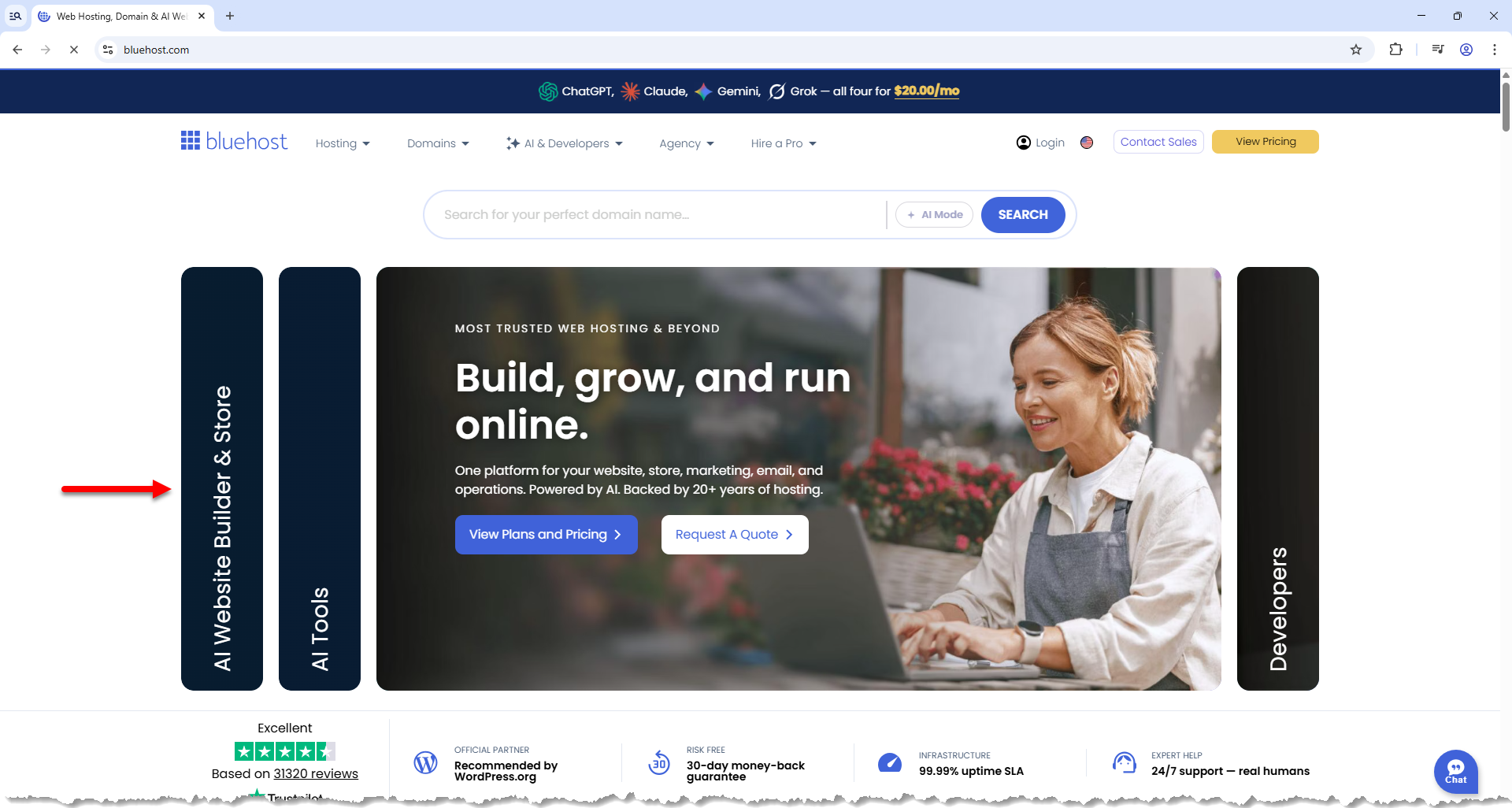
- On the Bluehost homepage, you'll see several slider cards. Click the AI Website Builder & Store card.
- In the prompt box, enter a short description of your business.
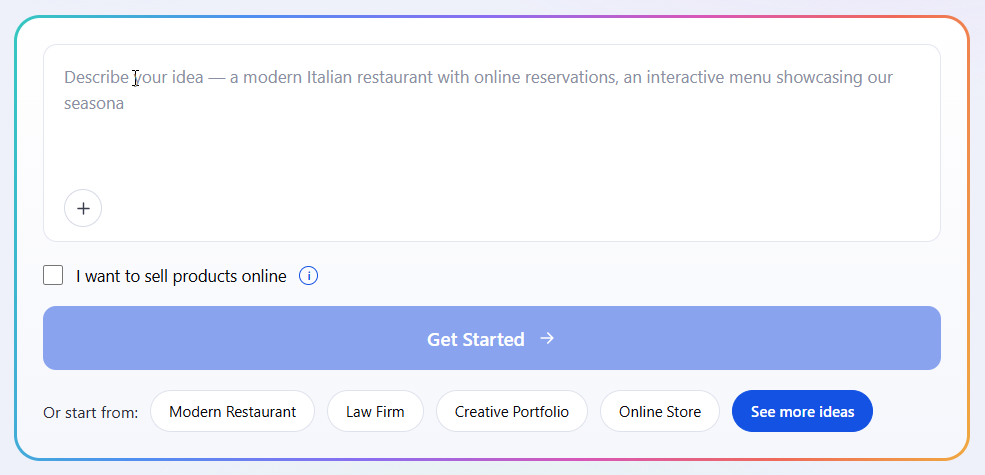
To learn how to write effective prompts, visit the Bluehost AI Store: How to Build an AI Storefront Website Using Effective Prompts article.
- Enhance your prompt by clicking the plus icon (+) located at the bottom-left corner of the prompt box to provide visual inspiration:
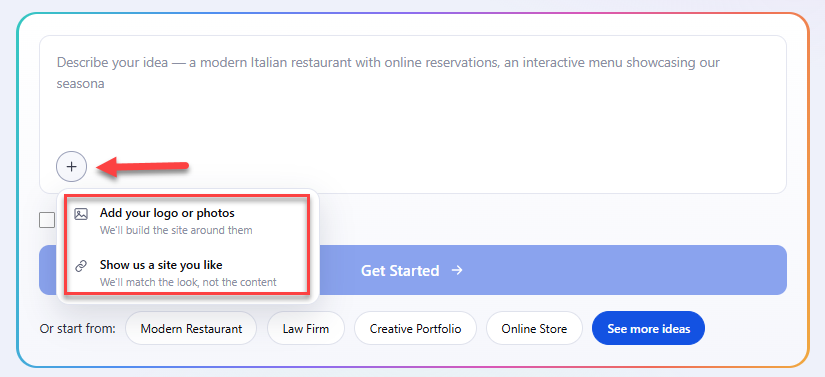
- Add your logo or photos: Upload your custom brand assets so the AI can build your site around them.
- Show us a site you like: Paste the link of a reference website to have the AI match its visual style and design structure without copying the content.
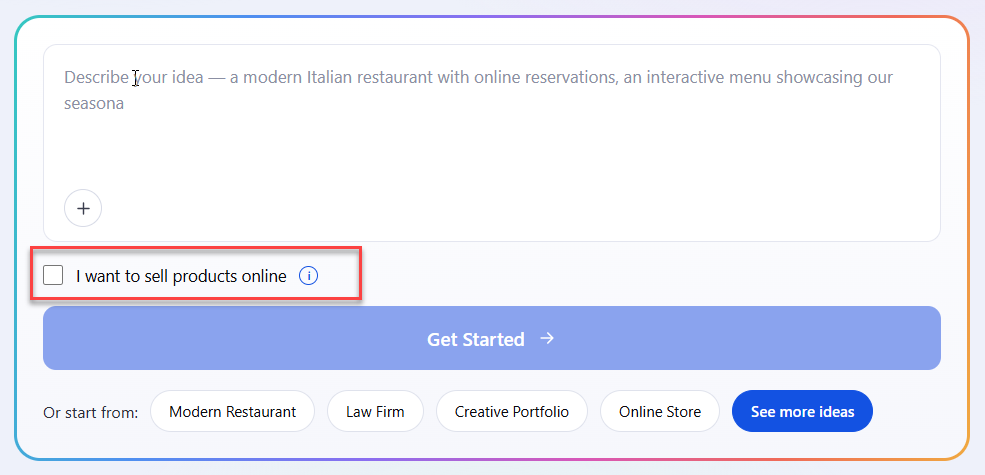
Important: You can upload a maximum of 3 images and provide only 1 reference URL. - Select the "I want to sell products online" checkbox if you plan to create an online store.
-
Depending on your selection:
- If the checkbox is selected, you will be guided through the AI Store experience to create a website with eCommerce functionality. For more information about AI Store, see the Bluehost AI Store: Getting Started with AI Store article.
- If the checkbox is not selected, you will continue with the standard AI Website Builder experience to create a non-eCommerce website, such as a business website, portfolio, blog, or other online presence. For more information, visit the Getting Started with Bluehost AI Website Builder article.
- Click Get Started.
Step 2: Customize Your Website
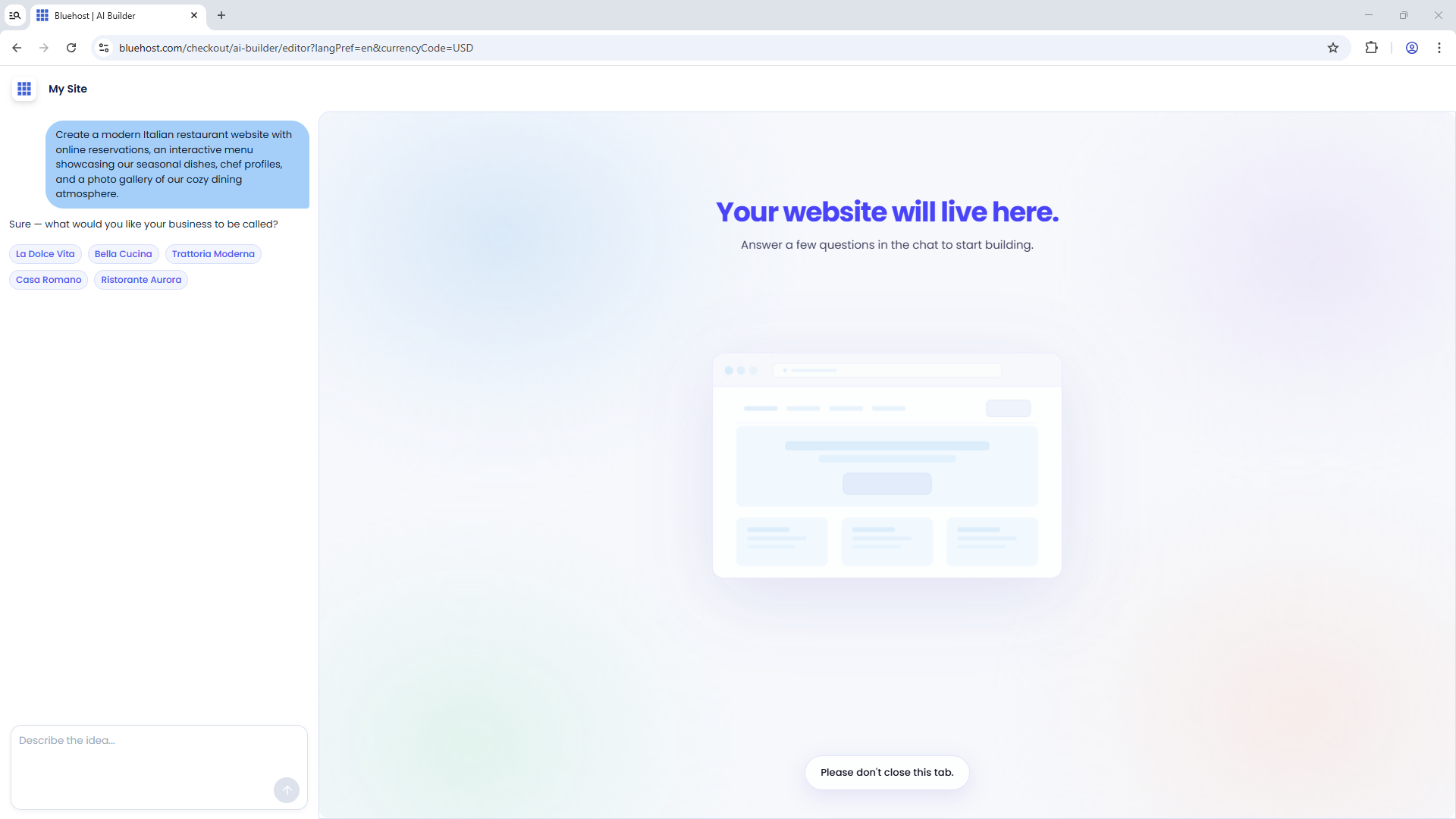
- In the editor, enter your business or brand name. You can also select from the suggested site names.
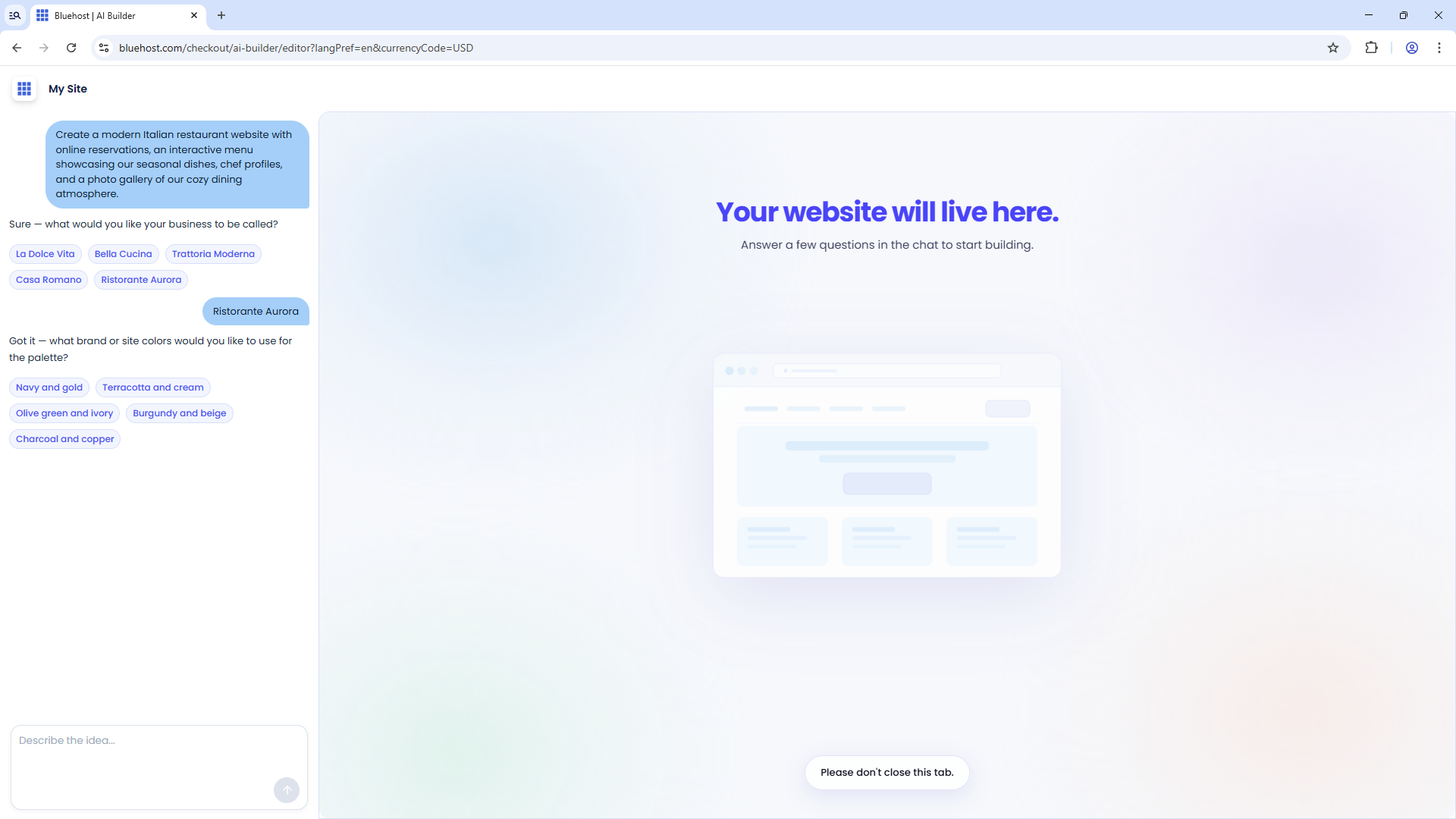
- Pick a color palette that matches your brand identity.
- Select the visual style that best represents your brand.
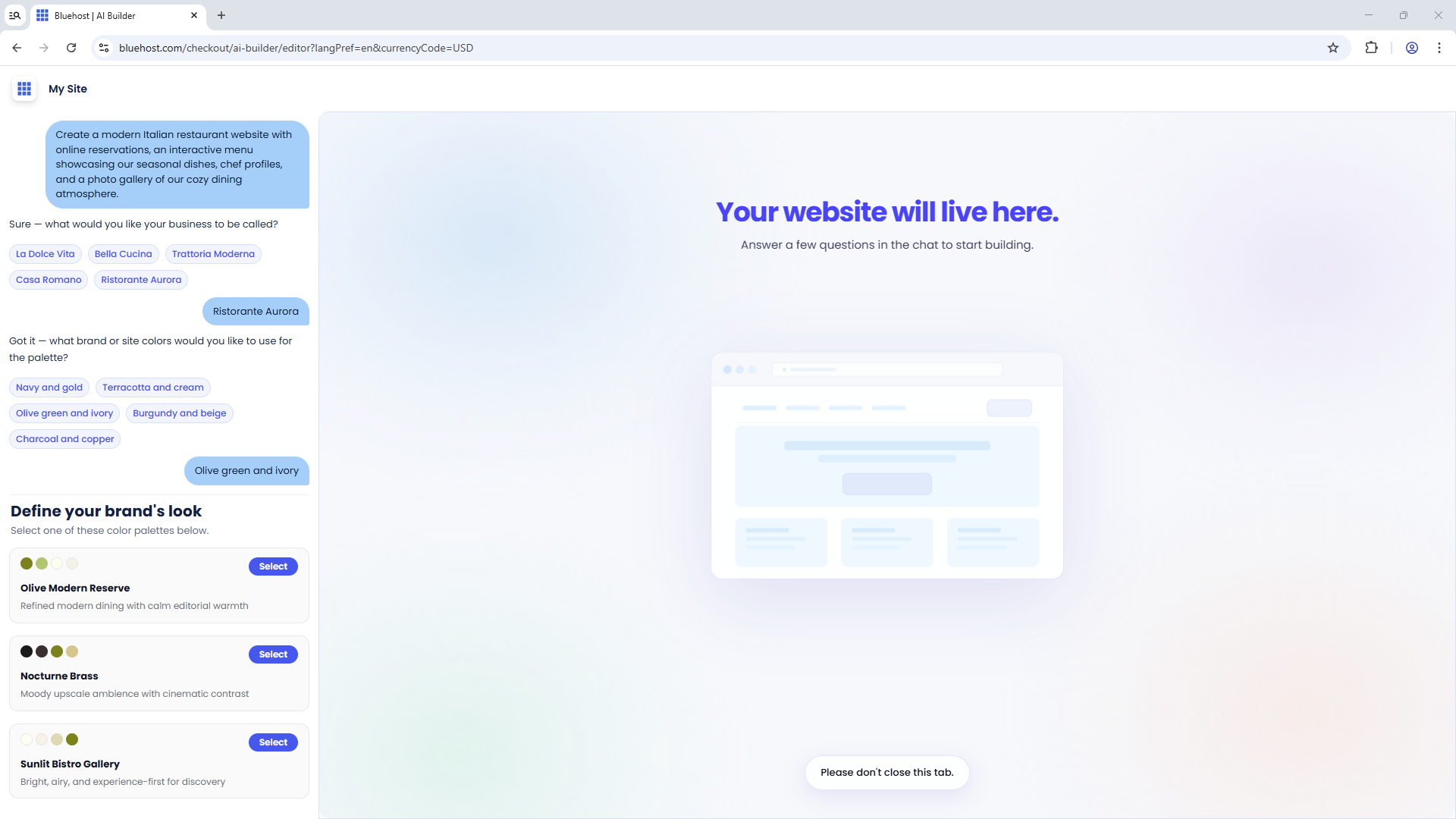
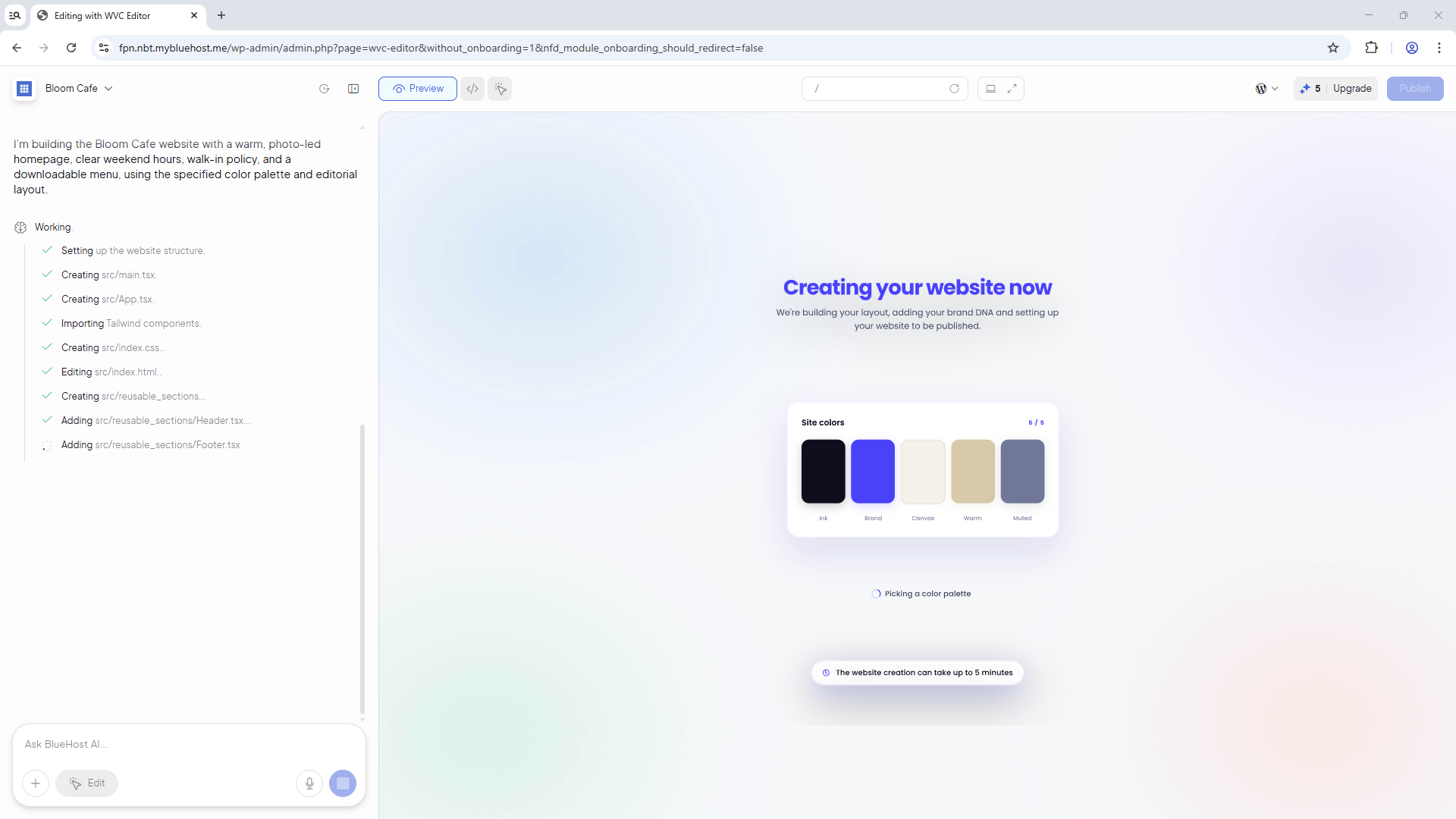
Once you've completed these steps, the editor will generate your website. This process may take a few minutes, so please wait while your site is being created.
Step 3: Sign In or Create a Bluehost Account
- Sign up for a Bluehost account using your email, Google, Apple, or GitHub account.
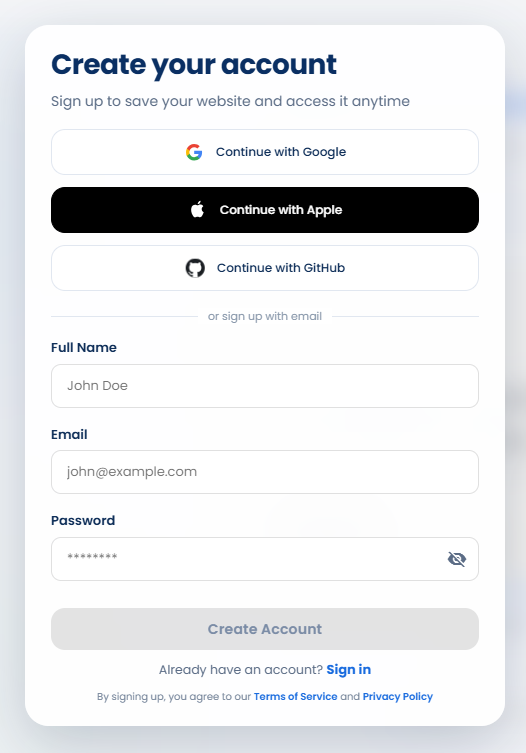
If you already have an account, sign in with your Bluehost login credentials.
- Bluehost will create your account or sign you in automatically.
- After signing in, AI will continue setting up your website. This process may take a few minutes.
Step 4: Manage Your Online Store
If you selected the "I want to sell products online" checkbox in Step 1, you'll have access to online store features through the AI Store Dashboard.
During the 14-day free trial period, you can customize your website using the website editor and manage your online store from the AI Store Dashboard.
For more information about navigating the AI Store Dashboard, see the Bluehost AI Store: Navigating the AI Store Dashboard article.
To learn how to set up your AI Store Dashboard, see the Bluehost AI Store: Setting Up the AI Store Dashboard article.
For step-by-step guidance throughout your AI Store journey, refer to the Bluehost AI Store: Customer Journey Guide article.
Step 5: Launch or Publish Your Website
If you're ready to publish your website, you'll need to upgrade your plan based on the type of website you created:
- Get Online: For websites created with AI Website Builder that do not include an online store.
- Sell Online: For websites created with AI Store that include online store functionality.
Visit Bluehost.com for current pricing.
For instructions on upgrading your plan, see the following articles:
- AI Website Builder (without an online store): Bluehost AI Website Builder: From Free Trial to Published Website
- AI Store (with an online store): Bluehost AI Store: Upgrade to Sell Online to Publish Website
Summary
With Bluehost AI Website Builder and AI Store, you can create a website or online store by describing your business and customizing the generated design. During the 14-day free trial, you can explore the available features, manage your online store through the AI Store Dashboard, and upgrade to a paid plan when you're ready to publish your website.
If you need further assistance, Bluehost Chat Support is available 24 hours a day, 7days a week while Bluehost Phone Support is available 7 days a week from 7 am-12 midnight EST.
- Chat Support - While on our website, you should see a CHAT bubble in the bottom right-hand corner of the page. Click anywhere on the bubble to begin a chat session.
- Phone Support -
- US: 888-401-4678
- International: +1 801-765-9400
You may also refer to our Knowledge Base articles to help answer common questions and guide you through various setup, configuration, and troubleshooting steps.