 ChatGPT,
 Claude,
 Gemini,
 Grok — all four for
Key highlights
- Compare AI Receptionists and chatbots to understand their features, capabilities and ideal business use cases.
- Learn how an AI Receptionist automate appointment booking, customer support and routine front desk tasks.
- Discover the key differences in business knowledge, integrations, personalization and customer experience.
- Evaluate which solution best fits your business based on workflows, customer needs and operational goals.
- Explore how Bluehost AI Receptionist delivers 24/7 business-specific support with Google Calendar appointment management.
Every missed enquiry can become a missed customer. Yet, many small businesses cannot respond around the clock or manage every appointment request immediately.
That is where conversational AI can help. However, not every solution works the same way.
While chatbots mainly answer questions, an AI Receptionist can also manage customer interactions and complete actions, such as booking appointments through Google Calendar. Understanding these differences is essential before investing in either solution.
In this guide, we’ll compare AI Receptionists and chatbots, explain where each excels and help you choose the right option for your business.
AI Receptionist vs chatbot comparison: Quick answer
Although people often use these terms interchangeably, an AI Receptionist and a chatbot are not the same.
A chatbot primarily answers customer questions using predefined rules or AI-generated responses. It helps visitors find information, navigate websites and complete simple conversations.
An AI Receptionist goes further. It answers questions, uses your business knowledge and completes customer-facing tasks, such as booking, rescheduling or canceling appointments through Google Calendar.
Here’s a quick comparison:
| Feature | AI Receptionist | Chatbot |
|---|---|---|
| Primary purpose | Manage customer interactions and appointments | Answer questions and provide information |
| Business knowledge | Uses company-specific knowledge | Uses predefined rules or AI responses |
| Appointment management | Can book, reschedule and cancel appointments | Usually requires additional integrations or human assistance |
| Customer experience | Supports complete front desk interactions | Supports conversational assistance |
| Best for | Service-based businesses with appointment-based workflows | Businesses needing basic customer support or FAQs |
If your business depends on appointments and timely customer responses, an AI Receptionist offers broader capabilities than a traditional chatbot.
What is an AI Receptionist?
An AI Receptionist is an AI-powered virtual assistant that helps businesses manage customer conversations and routine front desk tasks. Unlike a basic chatbot, it can answer questions and complete actions, making it valuable for service-based businesses.
Instead of simply directing customers to information, an AI Receptionist supports day-to-day operations by handling common enquiries and managing appointment workflows. It helps businesses stay responsive, even outside regular working hours.
How does an AI Receptionist work?
An AI Receptionist combines conversational AI with your business information and connected tools to deliver helpful, context-aware responses.
It typically works by:
- Learning from your business knowledge base
- Understanding customer questions in natural language
- Providing company-specific answers
- Connecting with business tools, such as Google Calendar
- Completing tasks like booking, rescheduling or canceling appointments
- Escalating requests when human assistance is needed
This allows customers to receive quick support while reducing repetitive work for your team.
What tasks can an AI Receptionist handle?
An AI Receptionist can manage many routine front office responsibilities without requiring constant employee involvement.
Common tasks include:
- Answering frequently asked questions
- Providing business-specific information
- Booking customer appointments
- Rescheduling existing appointments
- Canceling appointments
- Checking appointment availability
- Capturing customer enquiries after business hours
- Maintaining a consistent communication style
For example, Bluehost AI Receptionist provides 24/7 conversations using your business knowledge and manages Google Calendar appointments through direct integration. It also allows businesses to customize the agent’s voice and tone for more consistent customer interactions.
Also read: What Is an AI Receptionist? How It Works and the Best Tools to Use in 2026
What is a chatbot and how does it work?
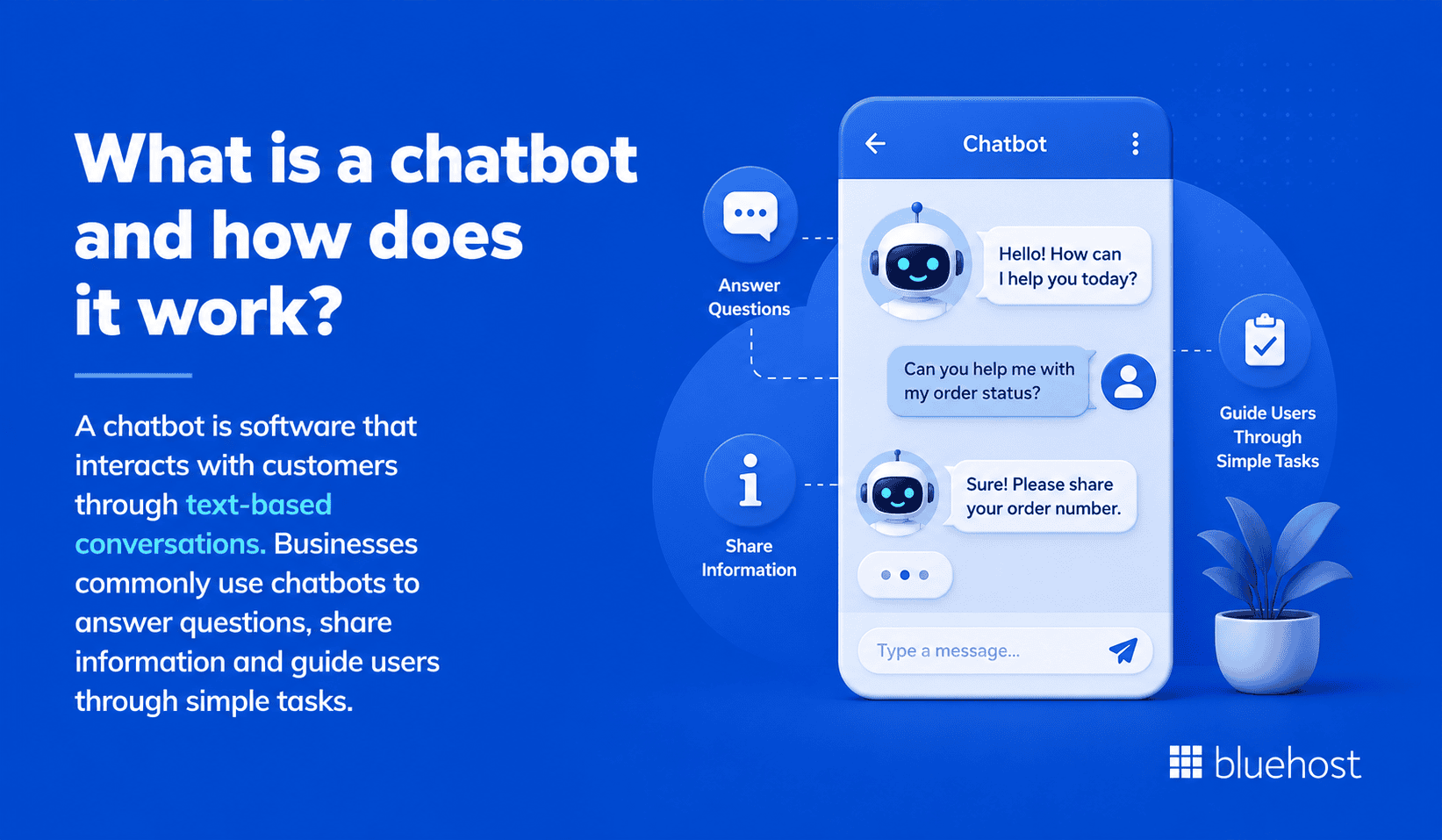
A chatbot is software that interacts with customers through text-based conversations. Businesses commonly use chatbots to answer questions, share information and guide users through simple tasks.
Depending on its design, a chatbot may follow predefined rules or use artificial intelligence to understand customer requests. Most chatbots focus on responding to enquiries rather than completing business operations.
Rule-based chatbots
Rule-based chatbots follow predefined conversation paths and decision trees. They respond to specific keywords, buttons or user inputs.
These chatbots work best for predictable conversations, such as:
- Answering frequently asked questions
- Sharing business hours
- Providing contact information
- Directing customers to relevant pages
- Guiding users through simple workflows
However, they struggle with unexpected questions or conversations outside their programmed rules.
AI-powered chatbots
AI-powered chatbots use natural language processing (NLP) and machine learning to understand customer intent and generate more natural responses.
Compared to rule-based chatbots, they can:
- Understand conversational language
- Respond to a wider variety of questions
- Adapt to different wording and phrasing
- Maintain more natural conversations
- Learn from larger knowledge sources
Their capabilities vary depending on the platform, integrations and available business data.
What are chatbots commonly used for?
Chatbots help businesses automate repetitive customer interactions and improve response times.
Common chatbot use cases include:
- Answering frequently asked questions
- Providing product or service information
- Guiding website visitors
- Assisting with lead generation
- Collecting customer details
- Routing conversations to human agents
- Offering basic customer support
For many businesses, these capabilities are sufficient. However, companies that depend on appointment scheduling or more complex customer interactions may need capabilities beyond a traditional chatbot.
Also read: What Is an AI Chatbot? A Beginner’s Guide
What is the difference between AI Receptionist and chatbot?
Both AI Receptionists and chatbots improve customer communication, but they serve different business needs. A chatbot mainly delivers information, while anAI Receptionist supports conversations and completes operational tasks. Understanding these differences helps you choose the right solution for your workflow.
| Comparison metric | AI Receptionist | Chatbot |
|---|---|---|
| Business role and overall scope | Supports customer conversations and routine front-office operations. | Primarily answers questions and guides users through conversational workflows. |
| Business knowledge and response accuracy | Uses a business knowledge base to provide company-specific, consistent responses. | May use predefined content or AI-generated answers, depending on its setup. |
| Answering questions versus taking action | Answers questions and completes tasks such as checking availability or managing appointments. | Usually provides information, collects details or directs users to another resource. |
| Appointment booking and calendar integration | Can connect with calendars to book, reschedule or cancel appointments. | May direct customers to a booking page or require an additional integration. |
| Conversation context and personalization | Uses business information and brand settings to provide more contextual interactions. | Personalization and conversation depth vary by platform and configuration. |
| Setup and ongoing maintenance | Requires knowledge-base preparation, workflow configuration and regular review. | Often uses self-service setup but still requires content and workflow updates. |
| Reporting and customer insights | Can track conversations, bookings and frequently discussed topics. | Typically reports on chat activity, although analytics vary by platform. |
| Human support and escalation | Automates routine tasks while leaving complex situations to employees. | Can transfer conversations to employees when properly configured. |
Let’s take a deep dive in these comparison metrics.
1. Business role and overall scope
A chatbot focuses on answering customer questions and guiding website visitors through simple interactions.
An AI Receptionist serves a broader role by supporting daily front office operations alongside customer conversations.
AI Receptionist
- Acts as a virtual front desk assistant
- Supports customer engagement around the clock
- Handles routine operational tasks
- Reduces repetitive work for employees
Chatbot
- Provides conversational support
- Shares information and answers questions
- Guides users through predefined workflows
- Assists with basic customer service
2. Business knowledge and response accuracy
The quality of customer responses depends on the information available to the system.
An AI Receptionist uses your business knowledge to provide company-specific answers. Bluehost AI Receptionist, for example, is trained on your documents and resources rather than relying on generic information.
Many chatbots also use business content, but their responses depend on how they are configured and maintained.
AI Receptionist
- Learns from your business knowledge base
- Delivers company-specific responses
- Maintains a consistent communication style
Chatbot
- May rely on predefined content or AI-generated responses
- Often requires regular content updates
- Response quality varies by platform
3. Answering questions versus taking action
One of the biggest differences is what happens after a customer asks a question.
A chatbot typically provides an answer and ends the interaction.
An AI Receptionist can continue the conversation by completing customer-facing tasks.
AI Receptionist
- Answers customer questions
- Books appointments
- Reschedules appointments
- Cancels appointments
- Checks availability
Chatbot
- Answers common questions
- Shares helpful resources
- Collects customer information
- May transfer conversations to a human agent
4. Appointment booking and calendar integration
Businesses that depend on appointments need more than conversational support.
An AI Receptionist can connect with scheduling tools to manage appointments without manual coordination. Bluehost AI Receptionist integrates with Google Calendar to book, reschedule and cancel appointments based on real-time availability.
Most chatbots require separate integrations or human assistance to complete similar tasks.
AI Receptionist
- Connects with Google Calendar
- Manages appointment availability
- Supports booking changes
Chatbot
- Usually directs customers to booking pages
- May require additional software
- Often depends on staff to finalize appointments
5. Conversation context and personalization
Customers expect conversations to feel natural and relevant.
An AI Receptionist uses business knowledge and a defined communication style to deliver more consistent interactions. Bluehost AI Receptionist also allows businesses to customize the agent’s voice and tone.
Many chatbots personalize conversations to some extent, but capabilities differ across platforms.
AI Receptionist
- Uses company-specific knowledge
- Maintains consistent brand communication
- Delivers more contextual responses
Chatbot
- Supports basic personalization
- Conversation depth varies
- Often focuses on individual enquiries
6. Setup and ongoing maintenance
Both solutions require setup, but the process can differ.
An AI Receptionist often includes business knowledge preparation and workflow configuration. Bluehost AI Receptionist also includes implementation support to help businesses configure goals and knowledge resources.
Many chatbot platforms use self-service setup and require businesses to manage updates independently.
7. Reporting and customer insights
Understanding customer conversations helps businesses improve service.
Bluehost AI Receptionist includes an admin dashboard that tracks conversation history, bookings and topic trends. These insights help businesses understand customer interests and optimize operations.
Reporting features vary widely across chatbot platforms.
AI Receptionist
- Tracks appointment activity
- Reviews conversation history
- Identifies topic trends
Chatbot
- Typically measures conversation metrics
- Reports depend on the platform
- May require premium analytics features
8. Human support and escalation
Not every customer request should be handled by AI.
An AI Receptionist works best by automating routine interactions while allowing employees to manage complex situations. This helps staff focus on higher-value conversations instead of repetitive requests.
Chatbots also support human handoffs, but the escalation experience depends on the specific platform and configuration.
AI Receptionist vs chatbot examples: How each handles the same enquiry?
The easiest way to understand the difference is to see how each solution responds in real business situations.
While both can communicate with customers, an AI Receptionist is designed to move conversations forward by completing routine tasks. A chatbot often focuses on answering questions or directing customers to the next step.
Scenario 1: A customer wants to book an appointment
Customer: “I’d like to book an appointment for next Tuesday afternoon.”
AI Receptionist
- Checks available appointment slots
- Books the appointment through Google Calendar
- Confirms the reservation instantly
- Allows rescheduling or cancellation if needed
Chatbot
- Shares a booking link
- Explains the booking process
- May collect contact details
- Often relies on separate scheduling software
Scenario 2: A prospect asks about services and pricing
Customer: “What services do you offer, and how much do they cost?”
AI Receptionist
- Uses the business knowledge base
- Shares relevant service information
- Provides company-specific responses
- Continues helping if additional questions follow
Chatbot
- Displays predefined answers
- Links to pricing pages
- Suggests contacting the business for more information
- May not answer detailed follow-up questions
Scenario 3: A customer contacts the business after hours
Customer: “Is anyone available to help me tonight?”
AI Receptionist
- Responds immediately
- Answers routine questions
- Captures customer enquiries
- Books appointments without waiting for business hours
Chatbot
- Answers common questions
- Provides business hours
- Collects contact information
- Usually requires staff follow-up later
Scenario 4: A request requires human judgment
Customer: “I have a unique situation. Can someone review my request?”
AI Receptionist
- Recognizes when human support is needed
- Handles routine tasks before escalation
- Passes complex requests to the appropriate team
Chatbot
- Transfers the conversation when possible
- Provides contact options
- Ends automation once human assistance is required
In both cases, human expertise remains essential for complex decisions. AI works best by handling repetitive interactions while employees focus on situations requiring judgment and personalized support.
Also read: All-in-One AI Plans vs. Multiple Tools for Small Businesses
AI Receptionist vs chatbot: Which is better for your business?
The right choice depends on how your business interacts with customers every day.
If you mainly answer simple questions, a chatbot may be enough. However, if your business relies on appointments and ongoing customer conversations, an AI Receptionist offers broader capabilities.
Choose an AI Receptionist when
An AI Receptionist is a better fit if your business depends on fast responses and appointment-based workflows.
Consider an AI Receptionist if you:
- Book appointments regularly
- Receive enquiries throughout the day
- Need support outside business hours
- Want to automate repetitive front desk tasks
- Prefer company-specific customer responses
- Need Google Calendar appointment management
- Want consistent customer communication
Service-based businesses, such as clinics, salons, consultants and home service providers, often benefit the most from these capabilities.
Choose a chatbot when
A chatbot may be the right choice if your customer interactions are straightforward and mostly informational.
A chatbot works well when you need to:
- Answer frequently asked questions
- Help visitors navigate your website
- Share business hours and contact details
- Collect customer enquiries
- Support simple customer conversations
- Reduce basic support requests
For many businesses, these features provide an affordable starting point for customer support automation.
Use both when
Some businesses benefit from combining both solutions.
For example, you might use:
- A chatbot for website FAQs
- An AI Receptionist for appointment management
- A chatbot for simple enquiries
- An AI Receptionist for customer scheduling
- Both solutions to reduce staff workload
Choosing the right combination depends on your customer journey, business goals and operational needs.
Also read: Which AI Model Is the Best? A 2026 Comparison for Agencies
What should you evaluate before choosing an AI Receptionist or chatbot?
The right solution should match your customer journey, daily workload and existing business systems.
Review these factors before making a decision.
1. Customer communication preferences
Start by understanding how customers usually contact your business.
Consider:
- Where most enquiries begin
- When customers usually reach out
- Whether customers expect immediate replies
- Which questions appear most often
- How often customers need follow-up support
Choose a solution that fits existing customer habits without adding unnecessary friction.
2. Required actions and integrations
List every action customers should complete during a conversation.
These actions may include:
- Booking an appointment
- Rescheduling a visit
- Canceling a reservation
- Checking availability
- Submitting contact details
- Reaching a team member
Then review which integrations support those actions.
Bluehost AI Receptionist integrates with Google Calendar for appointment management.
3. Accuracy and knowledge management
Accurate responses depend on reliable business information.
Evaluate whether the solution can:
- Use your company documents
- Provide business-specific answers
- Maintain approved service details
- Reflect current policies
- Support regular knowledge updates
- Follow your preferred communication style
Bluehost AI Receptionist uses supplied documents and resources for company-specific responses.
4. Security and customer data
Customer conversations may include personal details, appointment information or business-sensitive data.
Review:
- User access controls
- Data storage practices
- Tenant data separation
- Login protections
- Administrative permissions
- Vendor security documentation
Bluehost AI Receptionist supports secure Google authorization and tenant data isolation.
5. Human escalation
Automation should not handle every situation.
Define when customers need human assistance.
Common escalation cases include:
- Complex service questions
- Complaints or disputes
- Unusual appointment requests
- Sensitive customer concerns
- Requests requiring professional judgment
- Issues outside the system’s knowledge
Confirm how the solution transfers or records these requests for staff review.
6. Setup support and technical requirements
Some platforms require significant configuration before launch.
Ask whether your team must:
- Build conversation flows
- Prepare knowledge resources
- Connect business tools
- Test responses
- Manage permissions
- Maintain the system independently
Bluehost includes implementation support for configuring goals and knowledge bases before launch.
7. Reporting and measurable outcomes
Reporting helps you understand whether the solution improves customer operations.
Useful measures include:
- Conversation volume
- Appointment bookings
- Common enquiry topics
- After-hours activity
- Customer drop-off points
- Requests needing human support
Bluehost AI Receptionist tracks chat history, bookings and topic trends through its dashboard.
Also read: Front Desk Automation: Benefits, Features & Examples
How Bluehost AI Receptionist goes beyond a basic chatbot?
By now, you’ve seen that the biggest difference between an AI Receptionist and a chatbot is the ability to take action, not just answer questions.
That is exactly where Bluehost AI Receptionist stands apart.
Built for service-based businesses, Bluehost AI Receptionist combines AI conversations with practical front desk capabilities. Instead of stopping after answering a question, it helps customers complete routine tasks while reducing repetitive work for your team.
With Bluehost AI Receptionist, you can:
- Answer customer questions using your business knowledge base
- Provide support 24 hours a day
- Book, reschedule and cancel appointments through Google Calendar
- Maintain a consistent brand voice with customizable responses
- Review conversation history, bookings and topic trends from one admin dashboard
- Launch with implementation support instead of configuring everything yourself
These capabilities help small businesses stay responsive without expanding their front desk staff. Routine enquiries are handled automatically, allowing employees to focus on conversations that need human expertise.
If your business depends on appointments, timely responses and consistent customer communication, Bluehost AI Receptionist offers more than a traditional chatbot. It provides an AI-powered front desk designed to support your daily operations while delivering a better customer experience.
Final thoughts
Choosing between an AI Receptionist and a chatbot depends on how your business serves customers.
A chatbot works well for answering common questions. An AI Receptionist is better suited for businesses that also need appointment management and business-specific customer support.
Bluehost AI Receptionist helps service-based businesses answer questions 24/7 and manage Google Calendar appointments using company-specific knowledge.
Ready to move beyond a basic chatbot?
Discover how Bluehost AI Receptionist can help you automate customer conversations and simplify appointment management.
FAQs
No. AI is designed to support front desk operations by automating routine tasks such as answering common questions and managing appointments. Human staff are still essential for handling complex requests, resolving sensitive issues and providing personalized assistance when judgment is required.
No. Although both use conversational technology, they serve different purposes. A chatbot primarily answers questions and guides users through simple interactions, while an AI Receptionist can also complete business tasks, such as managing appointments and using company-specific knowledge to assist customers.
The four common types of chatbots are rule-based chatbots, menu-based chatbots, AI-powered chatbots and hybrid chatbots. Each offers different capabilities, ranging from simple scripted conversations to more advanced AI-driven interactions that understand natural language and respond more flexibly.
Bluehost AI Receptionist is trained on your business documents and knowledge resources, allowing it to provide company-specific responses instead of relying on generic information. It also maintains a consistent communication style by using the voice and tone you define for your business.
The current product positioning document does not state that Bluehost AI Receptionist requires Bluehost hosting. Based on the available product information, hosting requirements are not specified, so you should avoid making that claim unless confirmed by updated product documentation.
Bluehost AI Receptionist is priced at $25 per month and is available with both monthly and annual billing options. According to the current product positioning document, this is the active pricing for the product.

Write A Comment