



Key highlights
- Understand the complete domain transfer process from preparation through verification to avoid costly service disruptions.
- Learn essential preparation steps required before initiating domain transfers to maintain uninterrupted online presence for businesses.
- Navigate registrar changes efficiently while consolidating multiple domains to achieve better pricing and streamlined account management.
- Identify common pitfalls during domain ownership transfers and implement expert strategies to ensure smooth transition processes.
- Master post-transfer verification procedures to confirm successful domain ownership changes and maintain continuous website functionality.
- Prevent costly mistakes and service interruptions by following proven domain transfer protocols for all website types.
Transferring domain ownership can feel overwhelming, especially when your business or website depends on maintaining uninterrupted online presence. Whether you’re selling your business, changing registrars for better pricing or consolidating multiple domains under one account, understanding how to transfer domain ownership properly is crucial for avoiding costly mistakes and service disruptions.
This comprehensive guide will walk you through everything you need to know about domain ownership transfer, from preparation steps to post-transfer verification. You’ll learn the exact process, common pitfalls to avoid and expert tips to ensure your domain transfer goes smoothly.
What is domain ownership transfer?
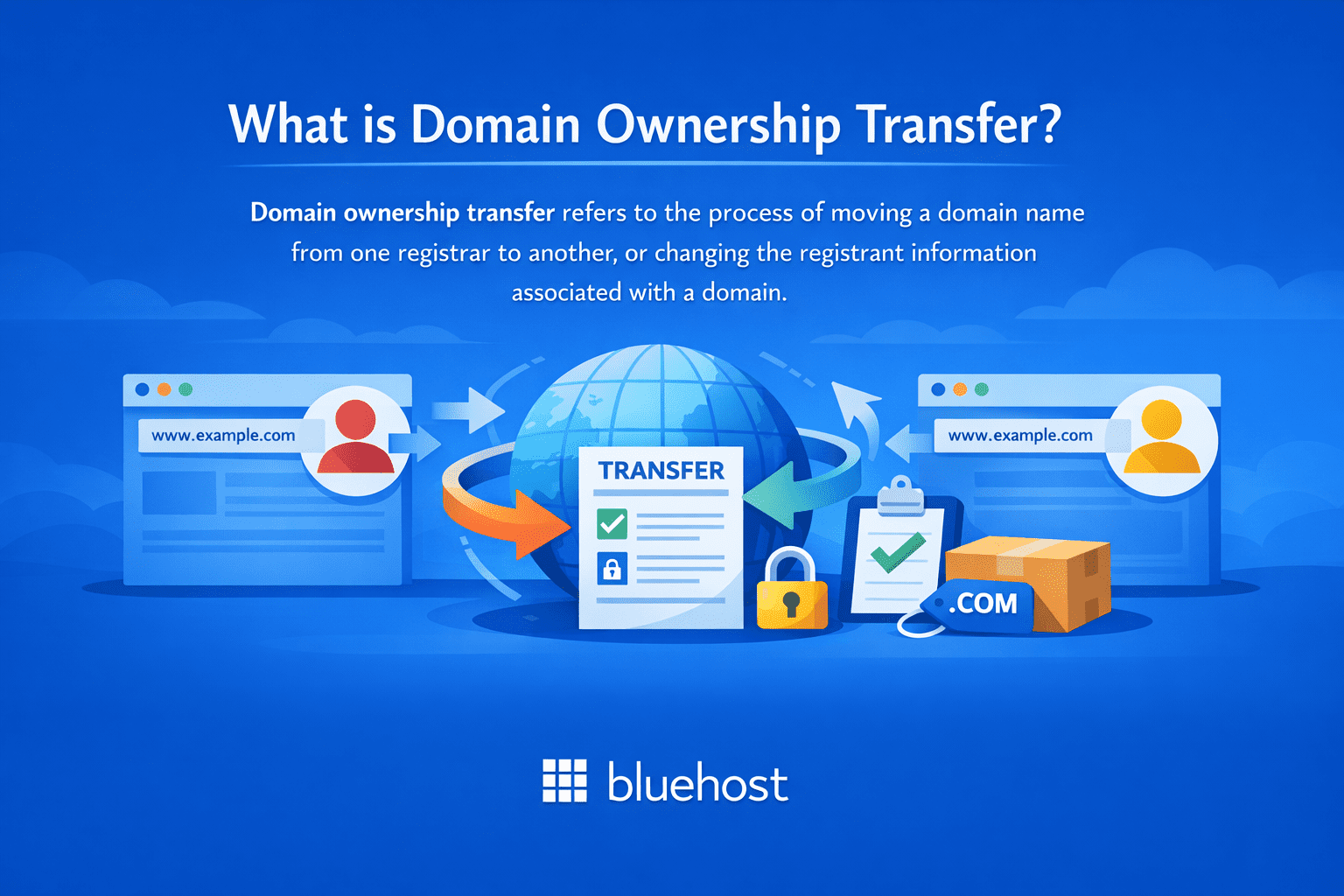
Domain ownership transfer refers to the process of moving a domain name from one registrar to another or changing the registrant information associated with a domain. This process involves updating the official records to reflect the new owner’s contact information and transferring administrative control of the domain.
There are two main types of domain transfers:
- Registrar transfer: Moving a domain from one domain registrar to another while keeping the same owner
- Registrant transfer: Changing the actual ownership of the domain name to a different person or organization
Also read: Domain Ownership Benefits and Transfer Essentials
When do you need to transfer domain names?
Transferring domain ownership may be necessary in multiple scenarios—whether you’re selling your business, changing registrars, correcting registration errors or updating contact information for security and legal compliance. Understanding when and how to transfer domain ownership ensures a smooth transition while maintaining your domain’s security and preventing potential disruptions to your online presence. Here are certain situations when you may require to initiate a domain ownership transfer:
- Selling your business or website to another owner
- Switching to a more affordable or feature-rich domain registrar
- Consolidating multiple domains under one registrar for easier management
- Transferring domain ownership to a different company within your organization
- Moving domains due to poor customer service or technical issues with your current registrar
- Inheriting domains from a business partner or family member
Also read: Choosing a Domain Registrar for Ownership Transfers
Prerequisites before starting your domain transfer
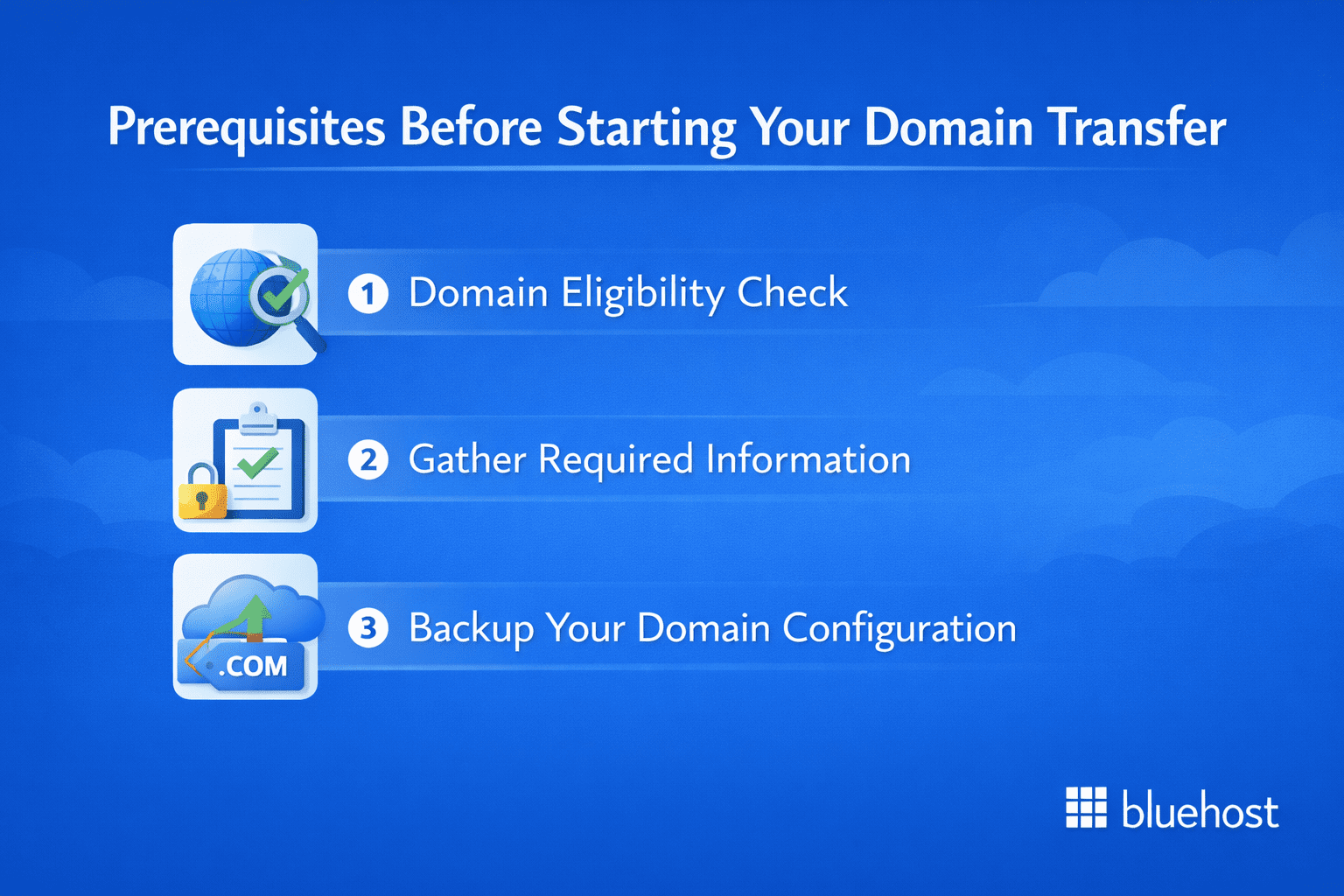
Before transferring domain ownership, complete these essential steps: verify your domain’s transfer eligibility, unlock it at your current registrar, obtain the authorization code (EPP code) and ensure your contact information is current.
These preparations are critical to prevent transfer delays, maintain control throughout the process and avoid complications or ownership disputes.
1. Domain eligibility check
Your domain must meet specific criteria before it can be transferred:
- Domain age: The domain must be at least 60 days old from the initial registration date
- Transfer lock status: The domain must not be locked for transfers due to recent changes
- Expiration date: Ensure the domain won’t expire during the transfer process
- Outstanding fees: All registrar fees must be current with no pending payments
2. Gather required information
Collect all necessary details before starting the transfer process:
- Current registrar account login credentials
- Administrative contact information
- Authorization code (also called transfer key or EPP code)
- New registrar account details
- Updated contact information for the new owner
3. Backup your domain configuration
Before proceeding with the transfer, document your current domain settings:
- DNS records and nameserver information
- Email forwarding rules
- Subdomain configurations
- SSL certificate details
- Any custom domain redirects
Also read: Complete Domain Transfer FAQs
Step-by-step domain ownership transfer process
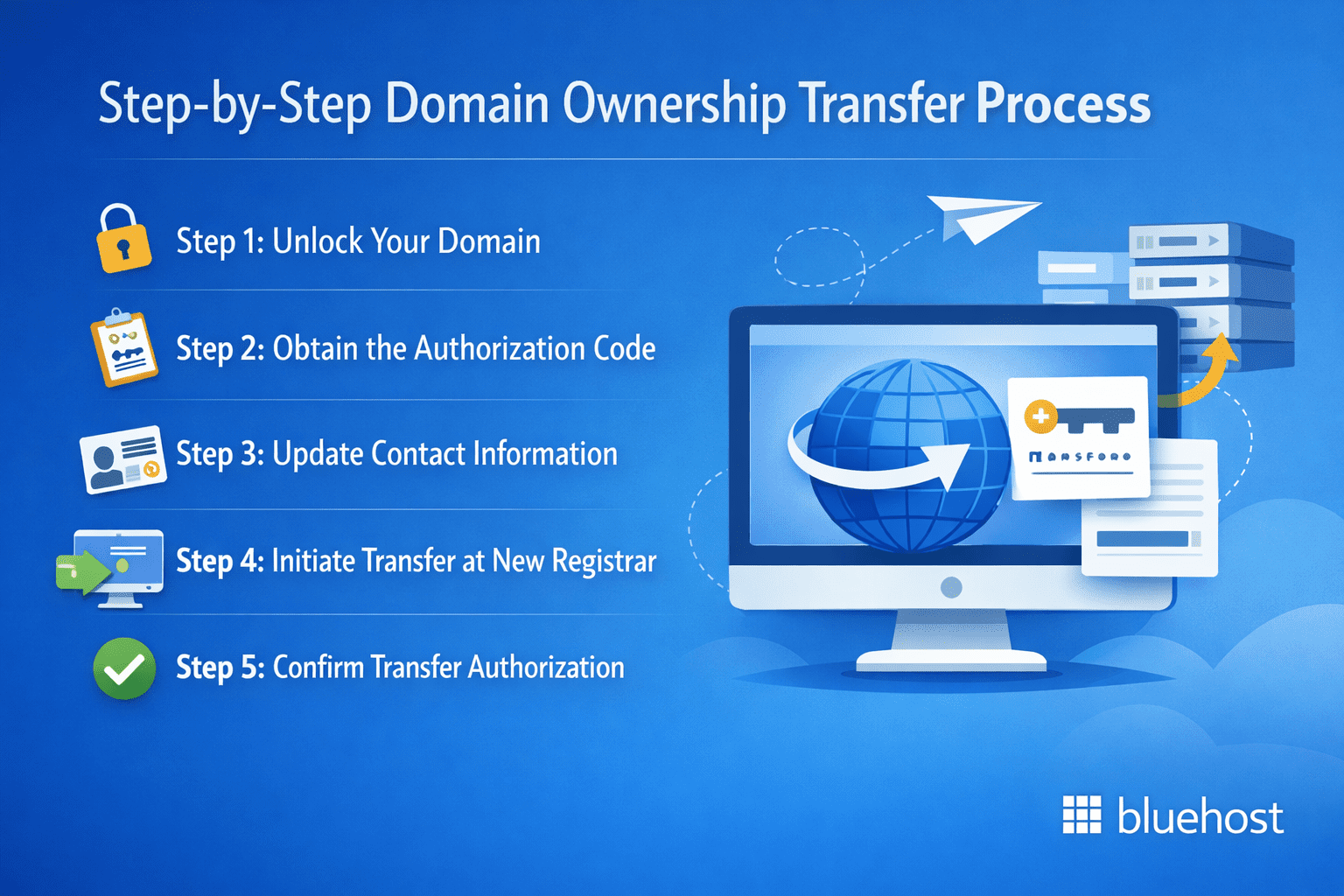
Follow this detailed process to transfer your domain ownership successfully. The exact steps may vary slightly depending on your registrar, but the core process remains consistent.
Step 1: Unlock your domain
Most domains are automatically locked to prevent unauthorized transfers. Log into your current registrar’s control panel and:
- Navigate to your domain management section
- Locate the domain transfer lock or domain lock setting
- Disable the transfer lock protection
- Confirm the changes and wait for the update to process
Step 2: Obtain the authorization code
As stated previously, the authorization code (EPP code) serves as a password for your domain transfer:
- Access your domain management dashboard
- Look for “Authorization Code,” “Transfer Key” or “EPP Code” options
- Request the code generation if it’s not already available
- Copy and securely store the authorization code
- Note that some registrars email the code to the administrative contact
Step 3: Update contact information
Ensure all contact details are current and accessible:
- Verify the administrative contact email address is active
- Update any outdated phone numbers or addresses
- Confirm you can receive emails at the listed contact address
- Save all changes and wait for verification if required
Step 4: Initiate transfer at new registrar
Now you can begin the transfer process with your chosen new registrar:
- Create an account with the new registrar if you don’t have one
- Navigate to the domain transfer section
- Provide your domain name in the transfer form to begin the ownership transfer process
- Provide the authorization code when prompted
- Complete payment for any transfer fees
- Submit the transfer request
Step 5: Confirm transfer authorization
Both registrars will send confirmation emails during the transfer process:
- Check your email for transfer confirmation messages
- Authorize the domain ownership transfer with your existing registrar
- Confirm acceptance at the new registrar if required
- Respond to any additional verification requests promptly
Also read: Check Domain Availability and Ownership Transfer Eligibility
Understanding different types of domain transfers
The transfer process can vary depending on the specific type of domain transfer you’re performing.
Standard registrar transfer
This is the most common type where you move your domain from one registrar to another while maintaining the same owner information. The process typically takes 5-7 days and involves the steps outlined above.
Change of registrant transfer
Understanding how to transfer domain ownership involves specific steps when changing the registered owner of your domain name:
- Complete a registrant change request with your current registrar
- Provide legal documentation if required (business sale agreements, etc.)
- Both parties may need to confirm the ownership change
- Wait for the registrant change approval before initiating registrar transfer
International domain transfer
Understanding how to transfer domain ownership internationally requires careful attention to cross-border transfer requirements and specific regulatory processes that govern international domain transactions.
- Additional documentation requirements
- Longer processing times due to verification procedures
- Compliance with local domain registration laws
- Currency conversion considerations for transfer fees
Also read: How to Buy a Domain Name That’s Taken | Expert Advice
Common transfer challenges and solutions
Understanding the potential roadblocks when learning how to transfer domain ownership allows you to anticipate issues, prepare required documentation beforehand and complete the transfer process with greater confidence and fewer unexpected setbacks along the way.
1. Transfer lock issues
Problem: Unable to disable domain transfer lock
Solution: Contact your registrar’s customer support directly. Some locks require manual removal or additional verification steps.
2. Missing authorization codes
Problem: Cannot obtain the EPP code from your current registrar
Solution: Check your email spam folder first. If still missing, contact customer support and provide domain verification details.
3. Email verification failures
Problem: Not receiving transfer confirmation emails
Solution: Update your administrative contact email to an active address and ensure your email service isn’t blocking registrar communications.
Domain transfer TTL ownership verification process
The domain transfer TTL ownership verification process can sometimes cause delays. This security measure requires additional confirmation steps when:
- The domain has been recently registered or transferred
- Contact information has been recently updated
- The domain is considered high-value or sensitive
Being aware of these challenges helps you better prepare for the transfer timeline, costs and security considerations discussed in the next section.
Also read: Domain Registry vs Registrar: A Complete Guide to the Domain Name System
Transfer timeline and associated costs
Understanding the timeframe and financial aspects of domain transfers helps you plan accordingly.
| Category | What to expect |
|---|---|
| Standard registrar transfer | Typically completes within 5–7 business days |
| Registrant (ownership) change | Usually takes 7–14 business days due to additional verification |
| International domain transfer | Can take 7–21 business days, depending on registry requirements |
| Premium domain transfer | May take 14–30 business days because of enhanced review processes |
| .com domain transfer fee | Generally costs $10–15 per transfer (often includes a 1-year renewal) |
| Country-specific domain transfer fee | Typically ranges between $15–50, depending on the extension |
| Premium extension transfer fee | Can range from $50–200+, based on domain value and registry pricing |
| Additional services | Extra charges may apply for privacy protection, DNS management or add-ons |
Please note: Transfer timelines and costs can vary significantly depending on the registrar, domain extension and any additional services selected.
Typical transfer timeline
- Standard transfers: 5-7 business days
- Registrant changes: 7-14 business days
- International transfers: 7-21 business days
- Premium domains: 14-30 business days
Transfer costs to consider
Domain transfer fees vary by registrar and domain extension:
- .com domains: $10-15 per transfer
- Country-specific domains: $15-50 per transfer
- Premium extensions: $50-200+ per transfer
- Additional services: Privacy protection, DNS management fees
Bluehost Domain Transfer
If you’re looking to move your domain to a reliable registrar, you can transfer your domain to Bluehost with clear, upfront pricing and no complicated steps. As of January 2026, Bluehost charges $12.99 per domain transfer and you receive a complimentary one-year domain renewal added to your existing registration period.
When you transfer your domain to us, you get a centralized dashboard where you can manage renewals, DNS settings and security features in one place, helping you stay organized throughout and after the transfer process.
With Bluehost Domain Transfer, you can:
- Transfer eligible domains from your current registrar to Bluehost
- Get a free one-year extension with your transfer
- Manage DNS records, forwarding and renewals from a single account
- Enable domain transfer locks and security protections
- Access 24/7 support if you need help at any stage of the transfer
Note: Domain transfer pricing, included features and renewal costs are subject to change. The pricing mentioned above reflects Bluehost’s rates as of January 2026. Always check the official Bluehost website for the most up-to-date pricing before starting your transfer.
Security considerations during domain transfer
Protecting your domain during the transfer process is essential to prevent unauthorized access or hijacking attempts.
Enable two-factor authentication
Secure both your current and new registrar accounts with two-factor authentication before initiating any transfers.
Monitor domain status
Regularly check your domain’s status during the transfer process:
- Verify DNS records remain unchanged unless intentionally modified
- Confirm website and email services continue functioning
- Watch for any unauthorized configuration changes
- Document any unusual activity or error messages
Watch for transfer scams and domain hijacking attempts
Domain transfers are a common target for phishing and fraudulent transfer attempts. Stay alert during the transfer window:
- Be cautious of unsolicited emails requesting transfer approval or payment
- Verify all transfer-related notifications directly within your registrar dashboard
- Never share authorization (EPP) codes via email or unsecured communication channels
- Monitor WHOIS records for unexpected changes in registrant or contact details
Maintain service continuity
To prevent service interruptions during transfer:
- Avoid making DNS changes during the transfer window
- Keep existing nameservers active until transfer completes
- Test website functionality regularly throughout the process
- Have backup access methods available for critical services
Also read: How to Change Your Domain Name Without Losing SEO (2026)
What to do after transfer completion?
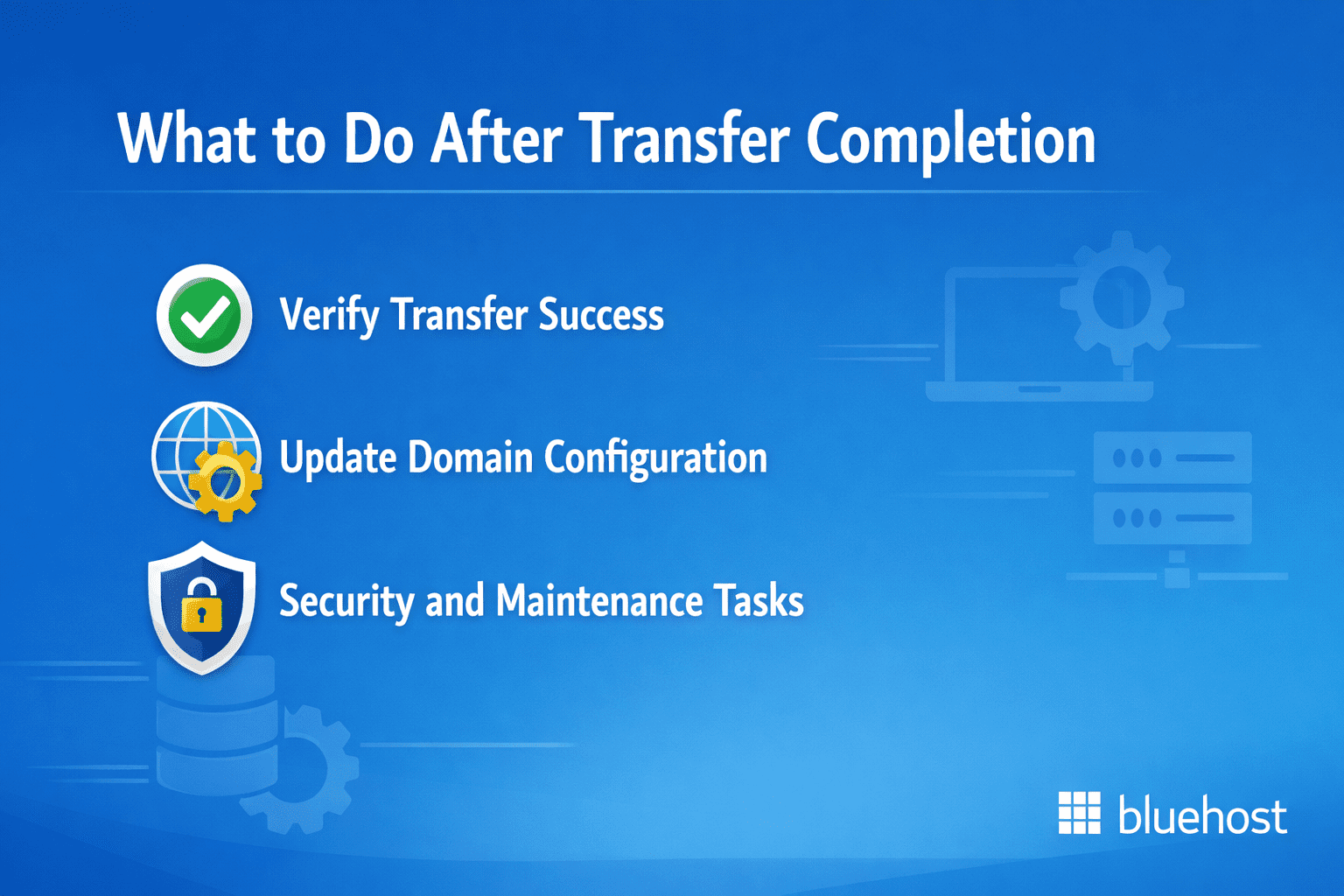
Once your domain ownership transfer is complete, several important tasks ensure everything functions correctly.
1. Verify transfer success
Confirm the transfer completed successfully:
- Check WHOIS records to verify updated registrar information
- Log into your new registrar account to confirm domain presence
- Test website accessibility and email functionality
- Verify all DNS records transferred correctly
2. Update domain configuration
Configure your domain settings in the new environment:
- Set up DNS records if using new nameservers
- Configure email forwarding rules
- Enable domain privacy protection if desired
- Set up automatic renewal to prevent expiration
3. Security and maintenance tasks
Secure your newly transferred domain:
- Enable registrar lock to prevent unauthorized transfers
- Update administrative contact information if needed
- Configure account notifications for important changes
- Review and update SSL certificates if necessary
Also read: How to Find and Buy Expired Domains Names
Find and secure your domain easily with Bluehost domain search
If you’re transferring domain ownership as part of a business transition, brand update or registrar change, it’s also a good time to search for, register or consolidate domains under a single, reliable provider. The Bluehost Domain Search Tool helps you do this quickly while keeping domain management simple during and after the transfer process.
How to use the Bluehost domain search tool
Using Bluehost’s domain search tool is straightforward and beginner-friendly, even if you’re managing multiple domains or handling a transfer for the first time:
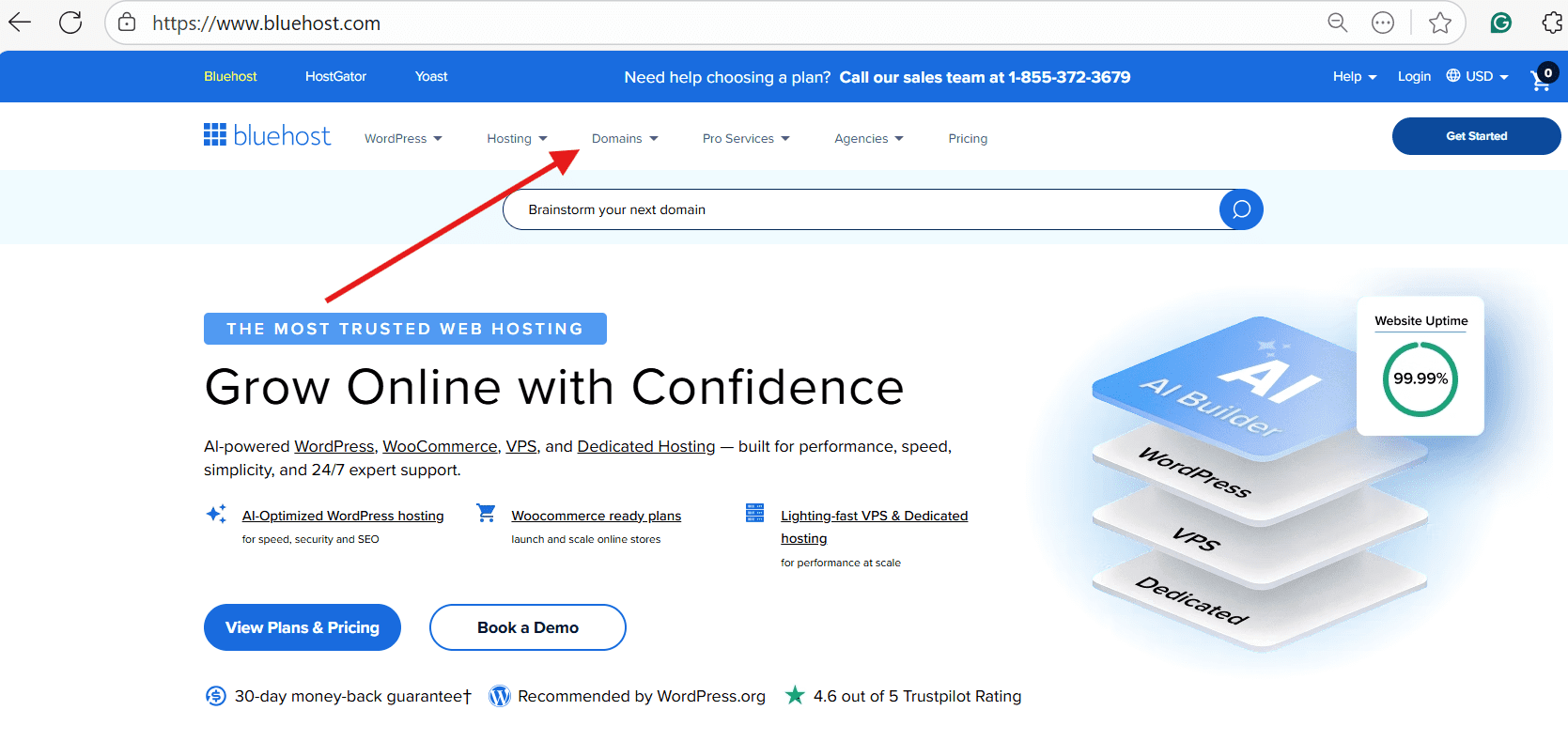
- Visit Bluehost website
- Click the Domain Search tab
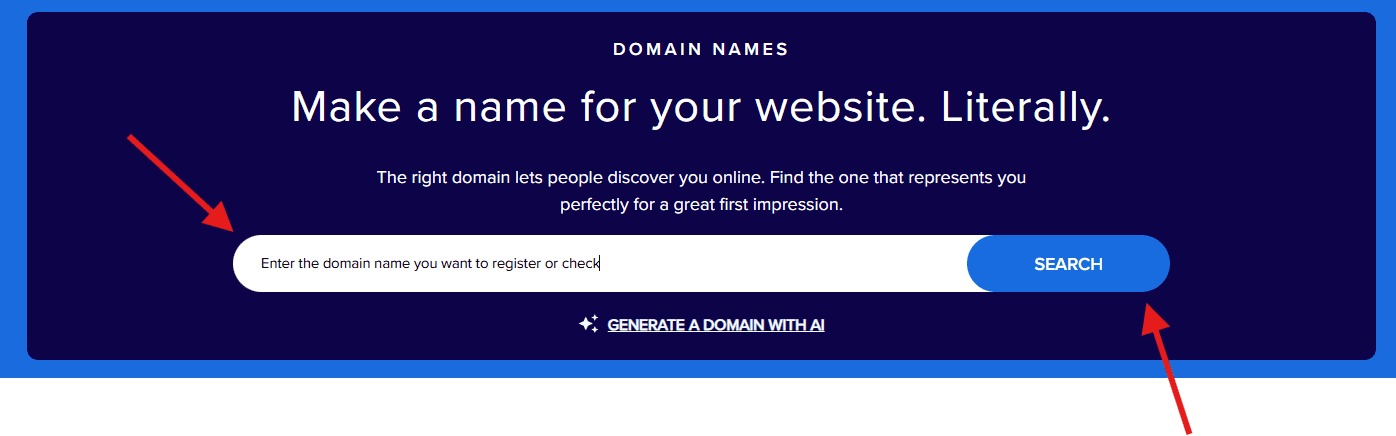
- Enter the domain name you want to register or check
- View availability across popular and alternative domain extensions
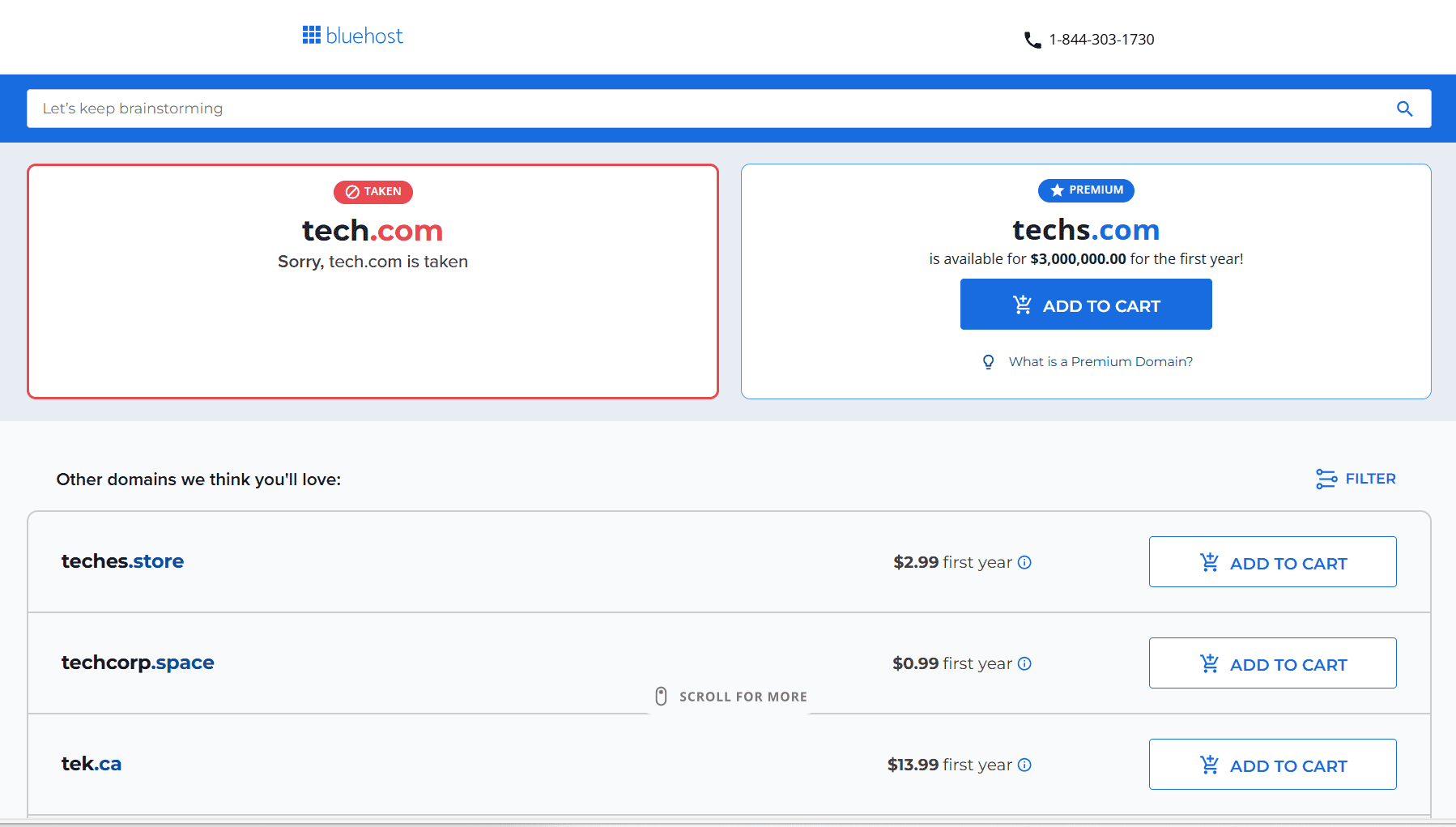
- Select your preferred domain and continue with registration or add it to your Bluehost account
- After registration or transfer, manage your domain from the Bluehost dashboard
This makes it easier to plan ahead—whether you’re registering a new domain for a buyer, securing brand variations or preparing to move domains to a new registrar.
What the Bluehost domain search tool allows you to do
Once you’ve used the search tool, Bluehost provides domain features that support smooth ownership transitions and long-term management:
- Instantly check domain availability across common and premium extensions
- Register new domain names directly if they’re available
- View suggested alternatives when your preferred domain is already taken
- Transfer domain ownership to Bluehost from another registrar
- Manage DNS records, renewals and forwarding from a centralized dashboard
- Add domain privacy protection to help protect registrant information
- Access 24/7 customer support for domain-related questions
Bluehost’s domain tools integrate with its hosting and email services, which can be helpful if you’re restructuring your website or business after a domain ownership transfer.
Final thoughts
Successfully transferring domain ownership requires careful planning and attention to detail. Following this guide helps you transfer domains smoothly while avoiding common pitfalls that could disrupt your online presence.
Domain ownership transfer involves several critical steps: unlocking your domain, obtaining authorization codes (EPP codes), verifying contact information, maintaining DNS configurations to prevent downtime and ensuring ICANN compliance. Proper preparation protects your website’s accessibility, search rankings and email functionality during the transition. Understanding authorization requirements, registrar locks and proper documentation helps you manage transfers confidently for business acquisitions, brand consolidation or switching to better registrar services.
If you need help with how to transfer domain ownership, contact support at both registrars. Their transfer specialists can resolve authorization issues and guide you through the process efficiently.
Whether you want to secure a new domain, register brand variations or consolidate domains after a transfer, the Bluehost Domain Search Tool offers a simple way to check availability and manage domains from one place. Get started today!
FAQs
When learning how to transfer domain ownership for UK-specific domains like .co.uk or .org.uk, you’ll encounter a slightly different process that includes additional verification steps through Nominet, the official UK domain registry. To successfully transfer these English domain names, you must first <a href=”https://www.bluehost.com/help/article/change-ips-tag-and-transfer-uk-domains” target=”_blank” title=”Change IPS Tag and Transfer .UK Domains to New Registrar”>request an IPS tag</a> from your new registrar and then submit this authorization code to your current registrar to complete the domain ownership transfer.
Yes, transferring domain ownership from 1and1 (now IONOS) is straightforward when you follow their specific process. To transfer your domain, log into your 1and1 control panel, unlock the domain, obtain the authorization code (also called an EPP code) and provide it to your new registrar to initiate the domain ownership transfer. The entire transfer process typically takes 5-7 days to complete.
Transferring domain ownership is essential when selling a business, gifting a website or restructuring your organization. This process involves more than updating contact information—it requires authorization codes, verification steps and coordinated administrative access. You may also need to <a href=”https://www.bluehost.com/help/article/backup-restore-previous-host” target=”_blank” title=”Hosting Migration: How To Transfer Website From One Host To Another”>migrate related services</a> such as web hosting, email systems, website files and databases. To ensure a smooth transition, understand your registrar’s technical requirements and maintain clear communication between current and new domain owners.
To transfer domain ownership successfully, expect a 5 to 7 day timeline. Both current and new owners must approve the transfer, <span data-mce-annotation=”gutenberg” data-annotation-uid=”conv-1769663803602-yjakpdo” class=”gutenberg-annotation”>with the losing registrar allowed up to 5 days to release the domain under ICANN rules</span>. While standard transfers take the full week, some registrars offer expedited options completing the process in 24-48 hours depending on your domain extension and registrar procedures.
Understanding costs is essential when you transfer domain ownership. Transfer fees typically range from $10-$15 for .com or .net domains and include a one-year registration renewal. <a href=”https://www.bluehost.com/help/article/premium-domain-names” target=”_blank” title=”Everything You Need to Know About Premium Domain Names”>Premium extensions</a> may cost more, while some registrars offer fee waivers for new customers. Before initiating how to transfer domain ownership, verify any unlock or release fees with your current registrar to avoid unexpected charges during the transfer process.
To transfer domain ownership, you must first meet two essential requirements. First, unlock your domain through your current registrar’s control panel, as domain locks prevent unauthorized transfers. Second, respect ICANN’s 60-day waiting period after registration or any previous transfer before initiating how to transfer domain ownership to a new registrar. Once these conditions are met, obtain your authorization code (EPP code) from your current registrar and complete the transfer to your new registrar.


Write A Comment